Bounces and suppressions
Why addresses land on the suppression list, and how to check, add and lift them.
Your suppression list holds the addresses Notix will not send to. Notix adds an address when it bounces hard, when the recipient reports your mail as spam, or when its mailbox keeps refusing mail. You can add addresses yourself too. A send to a suppressed address is skipped, whatever the request asks for. The one exception is a repeated soft bounce, which only holds back campaigns and automations (see below).
Bounces
A bounce is a receiving mail server refusing an email. There are two kinds.
| Kind | What it means | What Notix does |
|---|---|---|
| Hard bounce | The address does not exist or will never accept mail. | Adds the address to your suppression list as Hard bounce. It stays there. |
| Soft bounce | A short-term problem, such as a full mailbox. | Records the bounce. One soft bounce does not suppress the address. |
When someone marks your email as spam, Notix adds them as Complaint. It stays there.
Repeated soft bounces
If an address's mailbox refuses 3 different emails within 30 days, and none of your emails reached it in between, Notix suppresses it as Repeated soft bounces for 90 days. After 90 days it lifts on its own. Any email that reaches the address starts the count again from zero.
A repeated soft bounce only holds back campaigns and automations. One-off emails still go out: password resets, one-time codes, and anything you send through the API or SMTP one email at a time.
Only soft bounces that say the mailbox itself is refusing mail count, such as a full or disabled mailbox. These do not count:
- the receiving server blocking your sender or domain, or a policy refusal
- network or routing trouble, or the receiving server being down
- a message that was too large, an attachment that was refused, or content that was refused. That is about the email, not the address.
If, within an hour, more than 20 of your addresses at one receiving domain soft-bounce and they are more than half of the addresses you mailed there that hour, Notix stops counting that domain's soft bounces for your team for 24 hours. That looks like the provider having a bad day, not that many full mailboxes.
The list shows when each of these entries lifts.
You can see every bounce on the Emails page. Open the email and the Why it bounced card shows what the receiving server said. See Email logs. Your server can also get the email.bounced and email.complained webhook events. See Event types.
Bounces and complaints hurt your sending reputation. Notix looks at each domain's last 7 days once it has sent at least 200 emails. It warns you at 2% bounces or 0.05% complaints, and pauses sending from the domain at 4% bounces or 0.08% complaints. See Domain health and pauses.
The suppression list
Open Suppressions
Go to Emails and press Suppressions. The strip at the top counts your suppressed addresses by reason.
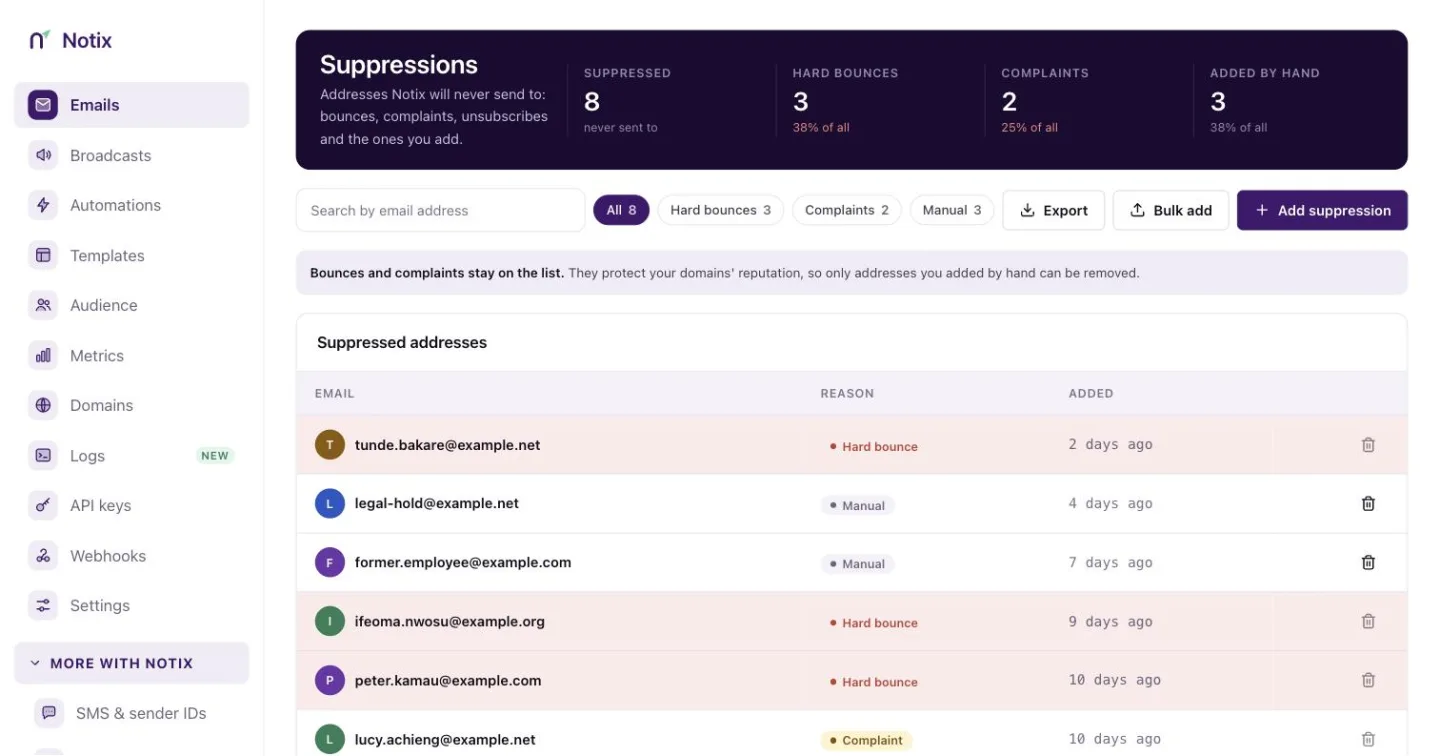
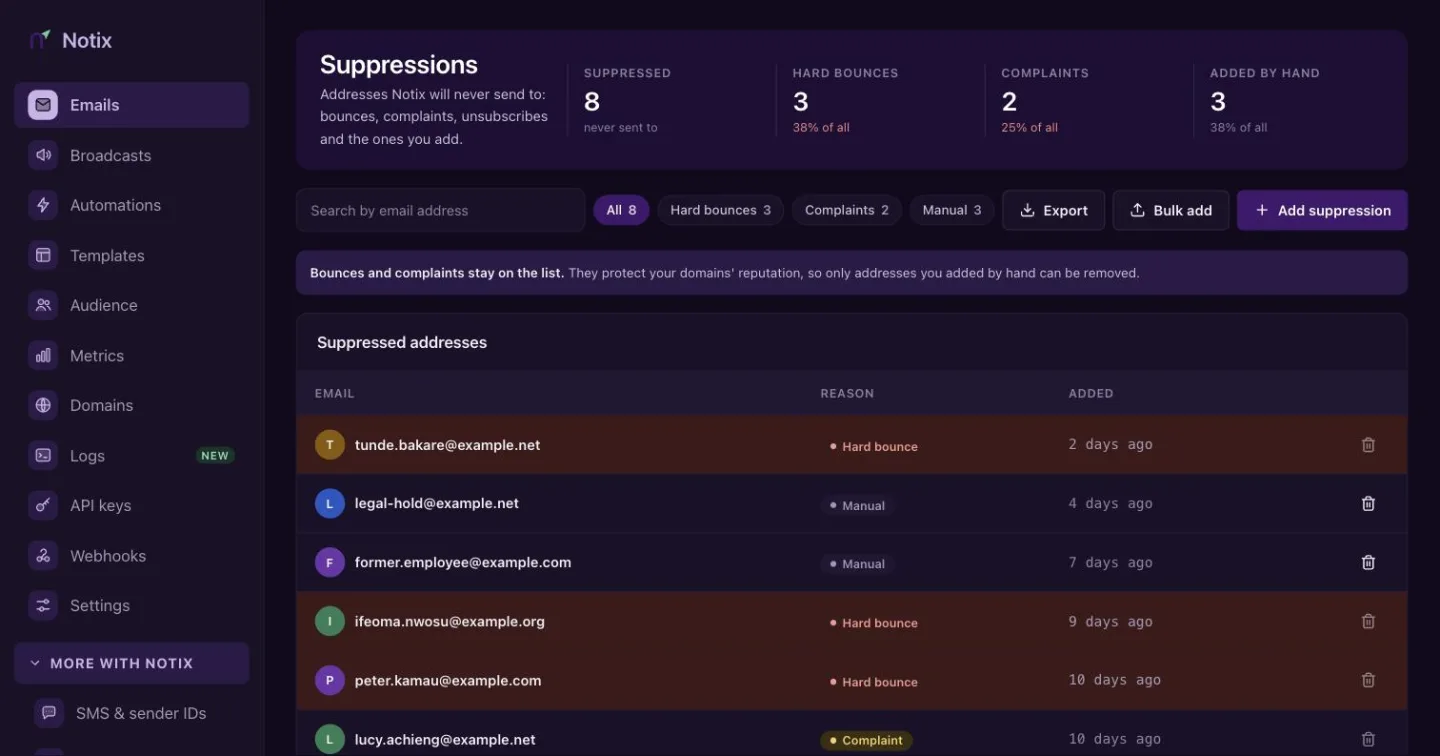
Suppressions. Each address shows why it is on the list. Find an address
Type in Search by email address, or pick a reason: All, Hard bounces, Complaints, Soft bounces or Manual. Press Export to download the list as a CSV file. The Lifts On column gives the date a repeated soft bounce lifts.
Add addresses
Press Add suppression to add one address. To add many, press Bulk add and paste addresses separated by commas, semicolons or new lines, or upload a file. Addresses you add are marked Manual.
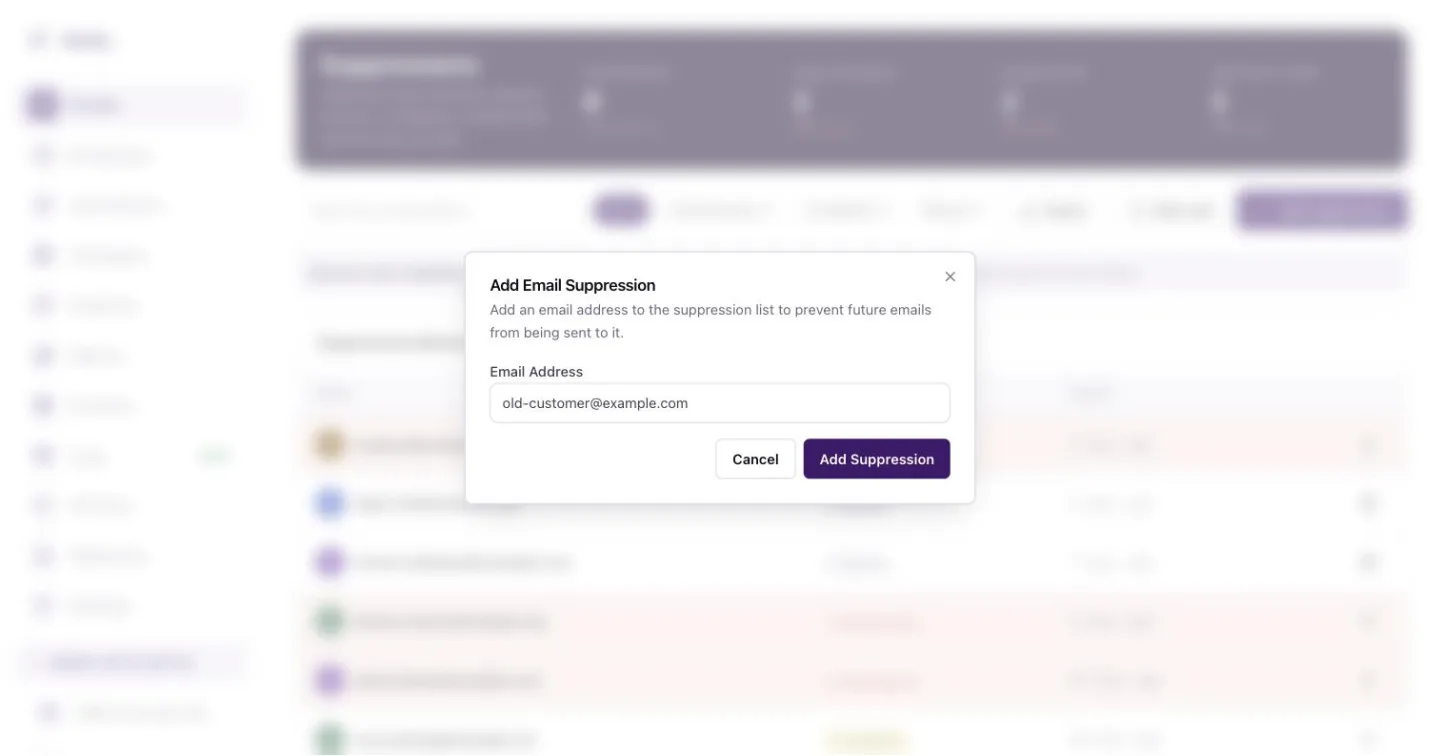
Add one address by hand. Notix stops sending to it at once. Remove an entry
Press the bin icon on the row, then confirm. You can remove Manual entries and Repeated soft bounces. Before a repeated soft bounce comes off, Notix warns you: if the mailbox soft-bounces 3 more times in 30 days it goes back on the list.
Hard bounces and complaints can't be removed, because they protect your sending reputation. If one is wrong, for example the address had a typo that is now fixed, contact Notix support. Support can lift it and records why.
Use the API
Check addresses before a send, add addresses in bulk, or lift an entry.
Check up to 100 addresses at once with Check addresses against the suppression list:
curl "https://app.usenotix.dev/api/v1/suppressions/check?emails=ada@example.com,bola@example.com" \
  -H "Authorization: Bearer $NOTIX_API_KEY"
{
  "results": [
    { "email": "ada@example.com", "suppressed": false, "reason": null, "expiresAt": null },
    { "email": "bola@example.com", "suppressed": true, "reason": "HARD_BOUNCE", "expiresAt": null },
    { "email": "chi@example.com", "suppressed": true, "reason": "SOFT_BOUNCE_REPEATED", "expiresAt": "2027-01-08T10:00:00.000Z" }
  ]
}
suppressed: true with SOFT_BOUNCE_REPEATED means campaigns and automations skip the address until expiresAt. A one-off send to it still goes out.
Add up to 100 addresses with Suppress addresses. An address already on the list keeps its first reason, so a bounce is never relabelled as manual.
curl -X POST https://app.usenotix.dev/api/v1/suppressions \
  -H "Authorization: Bearer $NOTIX_API_KEY" \
  -H "Content-Type: application/json" \
  -d '{ "emails": ["old-customer@example.com", "left-company@example.com"] }'
{ "added": 2, "alreadySuppressed": 0 }
Remove an entry with Lift a manual suppression. An API key can lift entries it added itself and any SOFT_BOUNCE_REPEATED entry. Lifting a soft-bounce entry answers with a warning. A hard bounce or complaint answers 403, and so does an entry a person added in the dashboard, an import, or another key's entry. An address that was not on the list answers 200 with removed: false.
curl -X DELETE https://app.usenotix.dev/api/v1/suppressions/old-customer@example.com \
  -H "Authorization: Bearer $NOTIX_API_KEY"
{
  "email": "chi@example.com",
  "removed": true,
  "warning": "This address kept refusing mail recently. If it soft-bounces 3 more times in 30 days it goes back on the list. Mailbox providers notice repeated sends to mailboxes that refuse them."
}
Page through the whole list with List suppressed addresses. Filter with reason (HARD_BOUNCE, COMPLAINT, MANUAL or SOFT_BOUNCE_REPEATED) or search. Each entry has expiresAt: the date a SOFT_BOUNCE_REPEATED entry lifts, or null for an entry that stays.
See how the list grew with Get suppression and unsubscribe trends: addresses added each day over the last 30 days by reason, people who unsubscribed each day, and the 30-day totals against the 30 days before. These are the figures on the Suppressions page. Unsubscribes are counted since October 2026.
The Notix MCP server has the same tools: check_suppression, list_suppressions, get_suppression_trends, add_suppression and remove_suppression, with the same rules.
What a suppressed send looks like
A send to a suppressed address is not an error. The address is skipped and not counted on your bill. If every recipient of an email is suppressed, the email gets the status SUPPRESSED and nothing goes out. A batch reports it as SUPPRESSED in its results.
Keep your list clean
- Remove addresses that bounce from your own database, not only from Notix.
- Use double opt-in for newsletter sign-ups, so typos never reach your list.
- Do not buy or rent lists. They are full of dead and trap addresses.
- Make unsubscribing easy. A person who cannot unsubscribe reports spam instead.