Sender IDs
Which sender ID your messages use, and how to register your own in Nigeria and Kenya.
Every text goes out under a sender ID, the name the recipient sees in place of a phone number. You can use the shared Notix sender ID at once, or register your own.
Which sender ID your texts use
- Shared: by default your texts and codes use the shared Notix sender ID for the country. There is nothing to set up.
- Your own: a Pro team can register its own sender ID, for example
ACMESHOP, so texts and codes carry your name. Once it is approved it becomes your team's default for that country. You can also pass it assenderIdon each Send an SMS or Send a one-time code request.
A sender ID is 1 to 11 letters and digits, and may contain a hyphen, like ACME-SHOP.
Request your own sender ID
Open SMS & sender IDs
Go to SMS & sender IDs. The Sender IDs card lists every ID your team has, with its status.
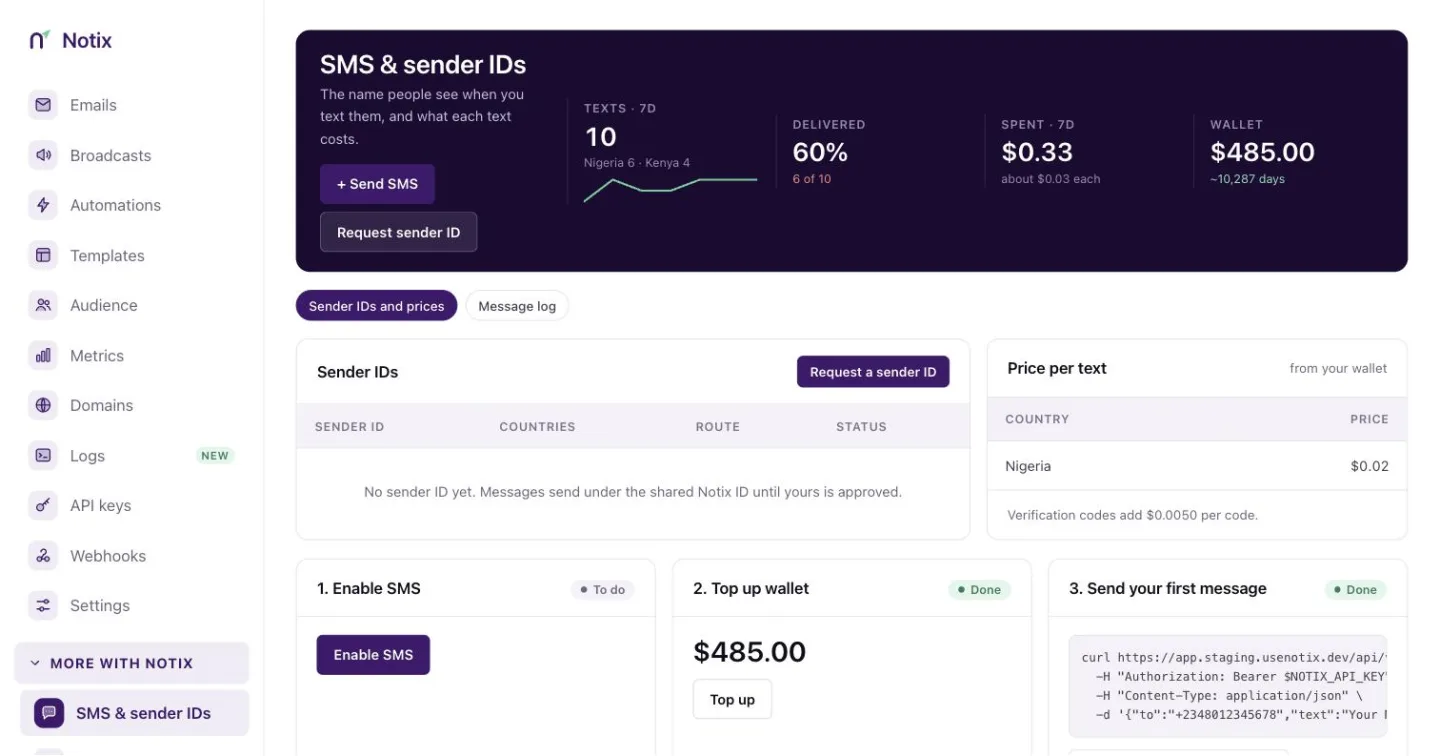
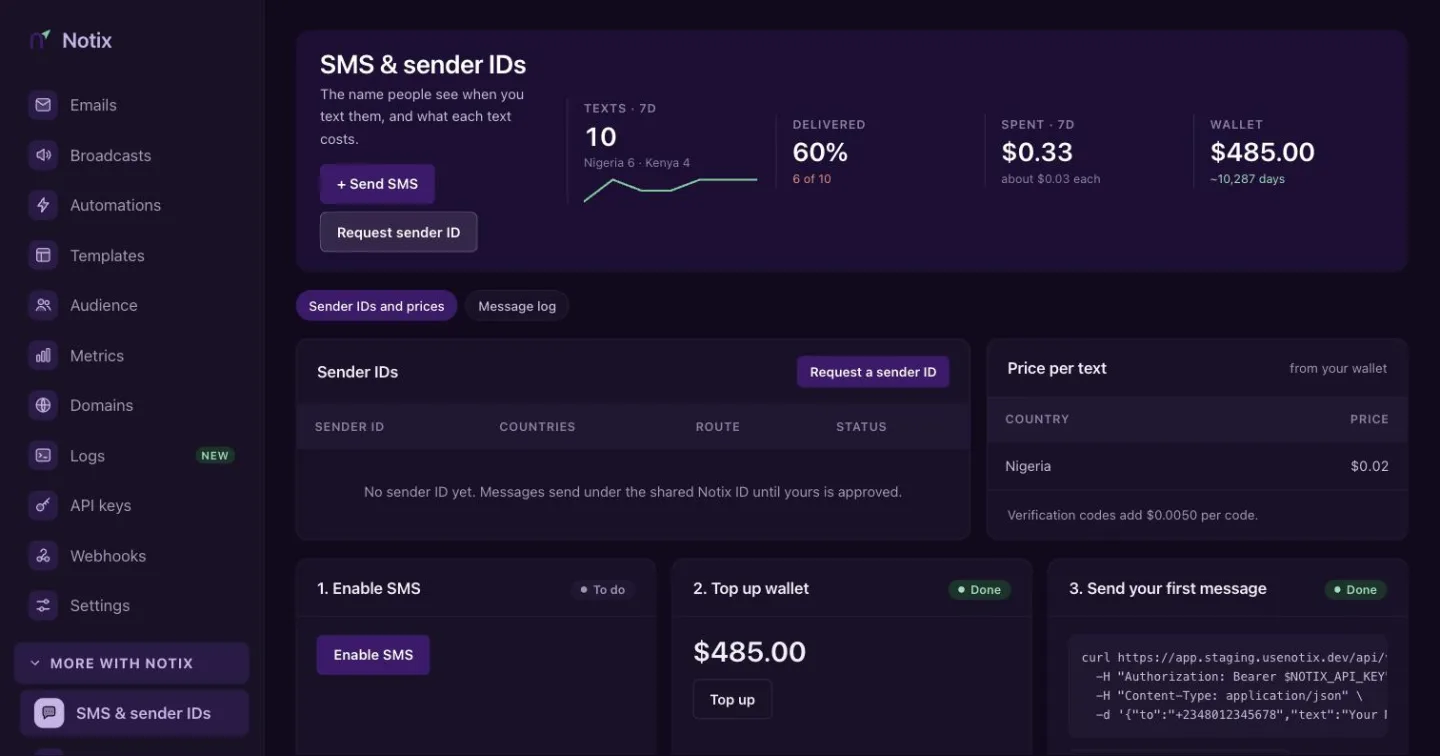
The Sender IDs card. Request a sender ID is at its top right. Fill in the request
Press Request a sender ID. Type the ID, pick the Country (Nigeria or Kenya) and what it is Used for:
Used for For Notes Transactional and OTP Codes, receipts and alerts The only kind Notix sends with today. In Nigeria this is what reaches numbers on the DND (Do Not Disturb) list. Marketing Broadcast messages Approved now, usable once SMS broadcasts ship. Networks do not deliver these to DND numbers. Outside your country Sending to numbers abroad Approved now, usable once international routes ship. For a Nigerian transactional ID, also give your Registered company name and a Sample message this ID will send, like "Your Acme verification code is 482913. It expires in 10 minutes." Then press Submit request.
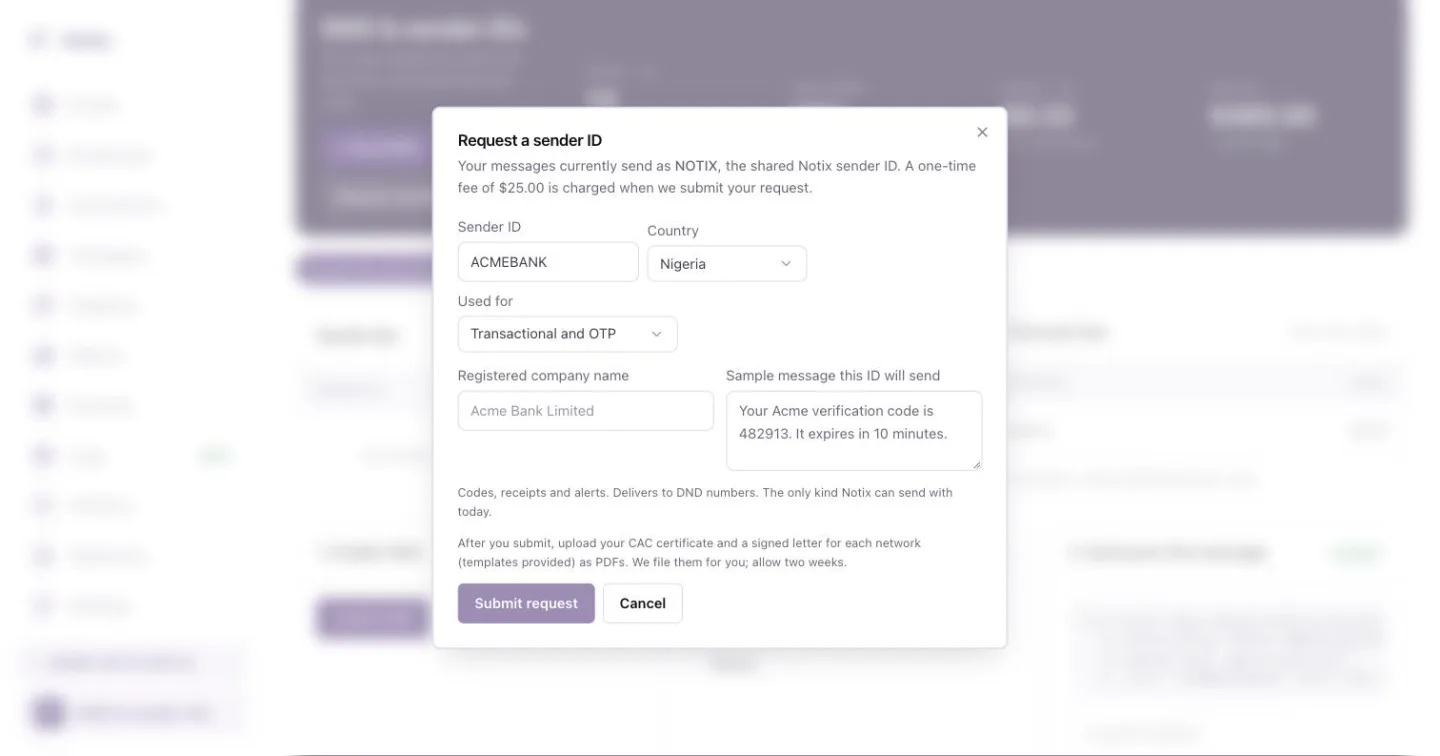
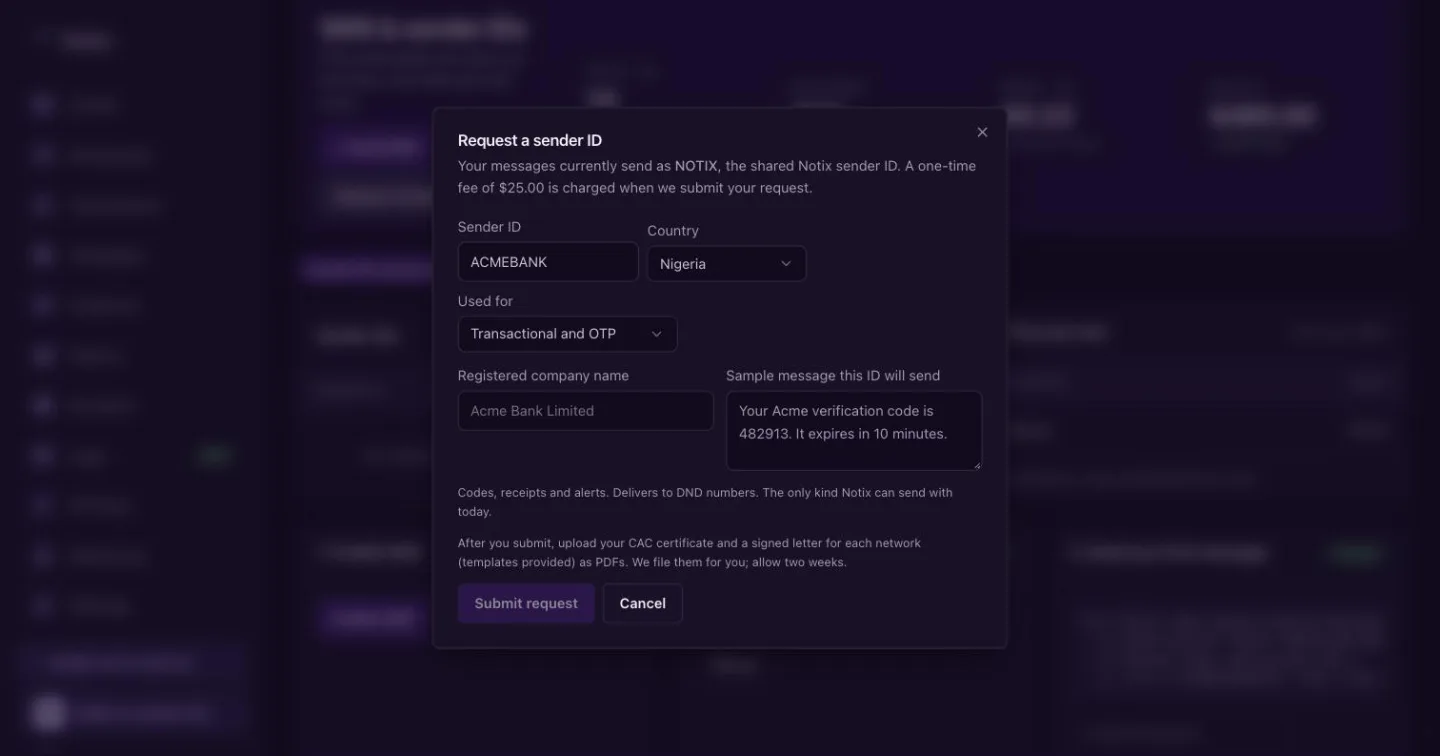
Request a sender ID. Nigeria transactional requests also ask for the company name and a sample message. Upload the paperwork
For Nigeria, upload each document on the request as a PDF of 5 MB or less. You can replace a file until Notix submits the request. Kenya needs no documents beyond the request.
Wait for approval
Notix files everything with the networks. Allow about two weeks. The status on the Sender IDs card changes as it moves along.
Nigeria: the paperwork
For a transactional sender ID in Nigeria, the networks ask for:
- Your CAC certificate of incorporation.
- A signed letter to each network: MTN, Glo, Airtel and 9mobile. Download each template from the request, print it on your letterhead, sign it and upload the scan.
- A regulator's licence (CBN, NCC, money lenders or cooperative), only if your business is regulated.
The registration fee
A one-time registration fee, shown on the page, is charged to your wallet when Notix submits the request to the networks. If the networks reject it, the fee goes back to your wallet.
Statuses
| Status | What it means |
|---|---|
| Requested | With Notix. Upload your documents. Nothing is charged yet. |
| Submitted | Notix has filed it with the networks and charged the fee. Documents are locked. |
| Approved | Live. Your texts now use it by default. |
| Rejected | The networks declined it and the fee is returned. Fix the paperwork and Notix can submit it again. |
Your own code template
An approved sender ID also lets you change the text of one-time codes sent by SMS. On the Custom OTP template card, write your text with the placeholders {code}, {appName} and {minutes}, then press Save. Reset to default brings back the built-in text. Only a team admin can change it, and the template may not contain a link.
You can read and change the template with the API too: Get the code template and Change the code template.
Delivery and failover
If the provider Notix routed your text through refuses it for a reason on its own side, such as a gateway fault or a sender ID it does not know, Notix tries once more through another provider with an approved sender ID for the country. You see one message and one charge either way. A refusal about the number itself, such as an invalid or blocked number, is final.
Delivery status arrives through the sms.sent, sms.delivered and sms.failed webhook events, or by reading the message with Get an SMS message.