Migrate to Notix
Bring your domains, contacts, templates and webhooks from another provider with the Migration Center.
The Migration Center brings your unsubscribes, contacts, segments, topics, templates, broadcasts and webhooks from another provider. It copies: nothing is removed from your old provider, and it keeps sending until you switch it off. Your unsubscribes come over first, so anyone who opted out at your old provider stays opted out here. Nothing is written until you say so.
Where you can migrate from
| Provider | How it migrates |
|---|---|
| SendGrid | Connect: Notix reads your account with a key you give it. |
| Resend | Connect |
| Mailchimp | Connect |
| Brevo | Upload the files you export |
| Postmark | Upload the files you export |
| Mailgun | Upload the files you export |
| CSV files | Upload files from anywhere |
Start a migration
Open Migrate to Notix
Open Migrate to Notix in the side menu of the console, just below Audience. Only team admins can run a migration.
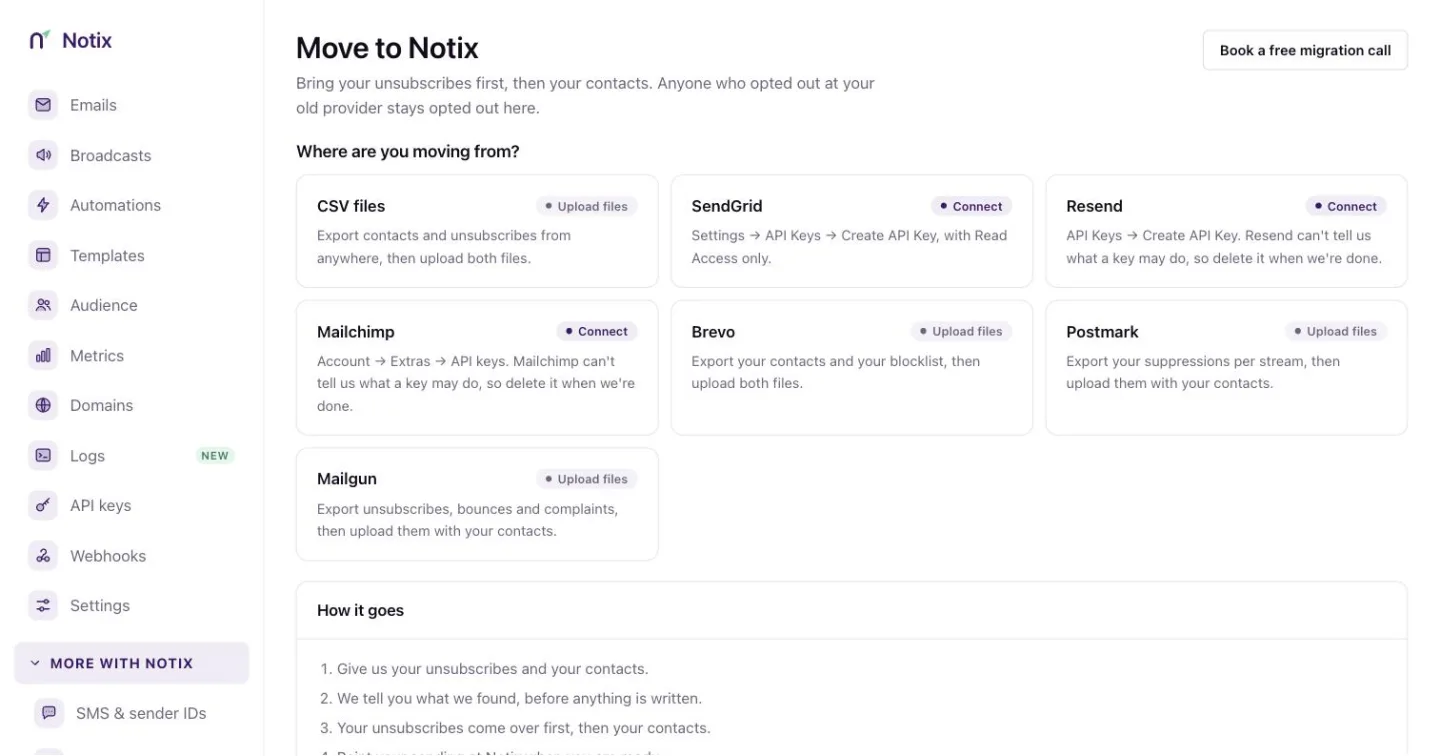
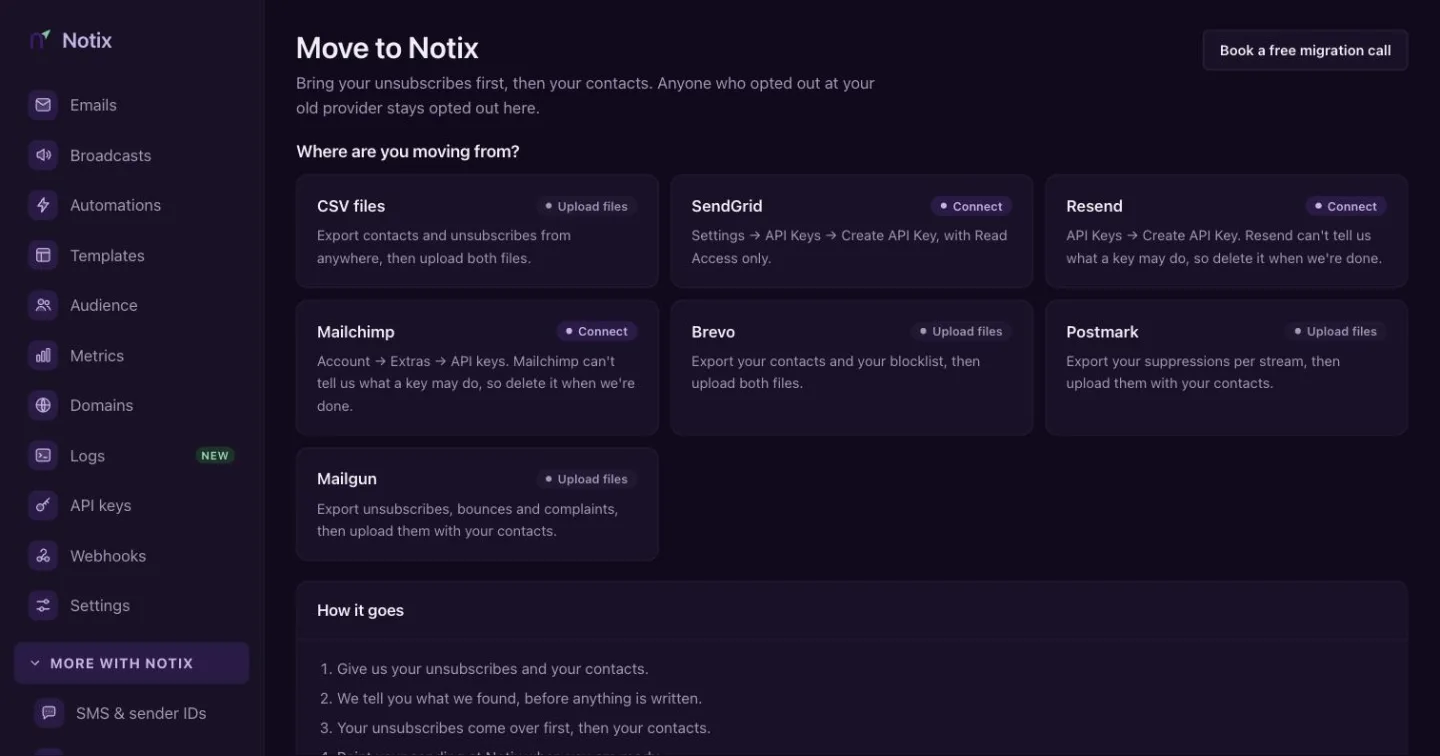
Migrate to Notix: pick the provider you are leaving. Pick your provider
Press the card for the provider you are leaving. The panel below says whether Notix will read your account or ask for files.
Start
Press Connect followed by the provider's name, or Upload files. The migration opens on its own page.
Bring your unsubscribes and contacts
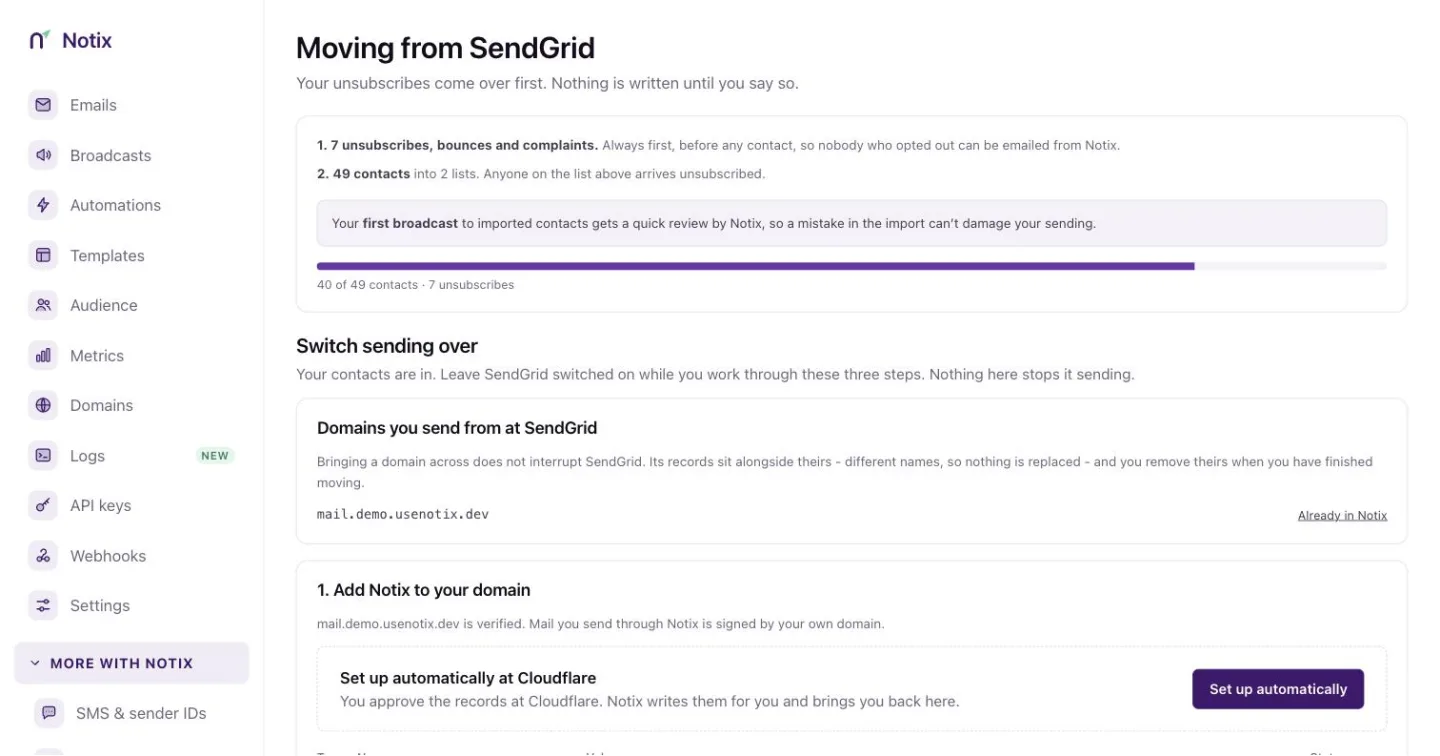
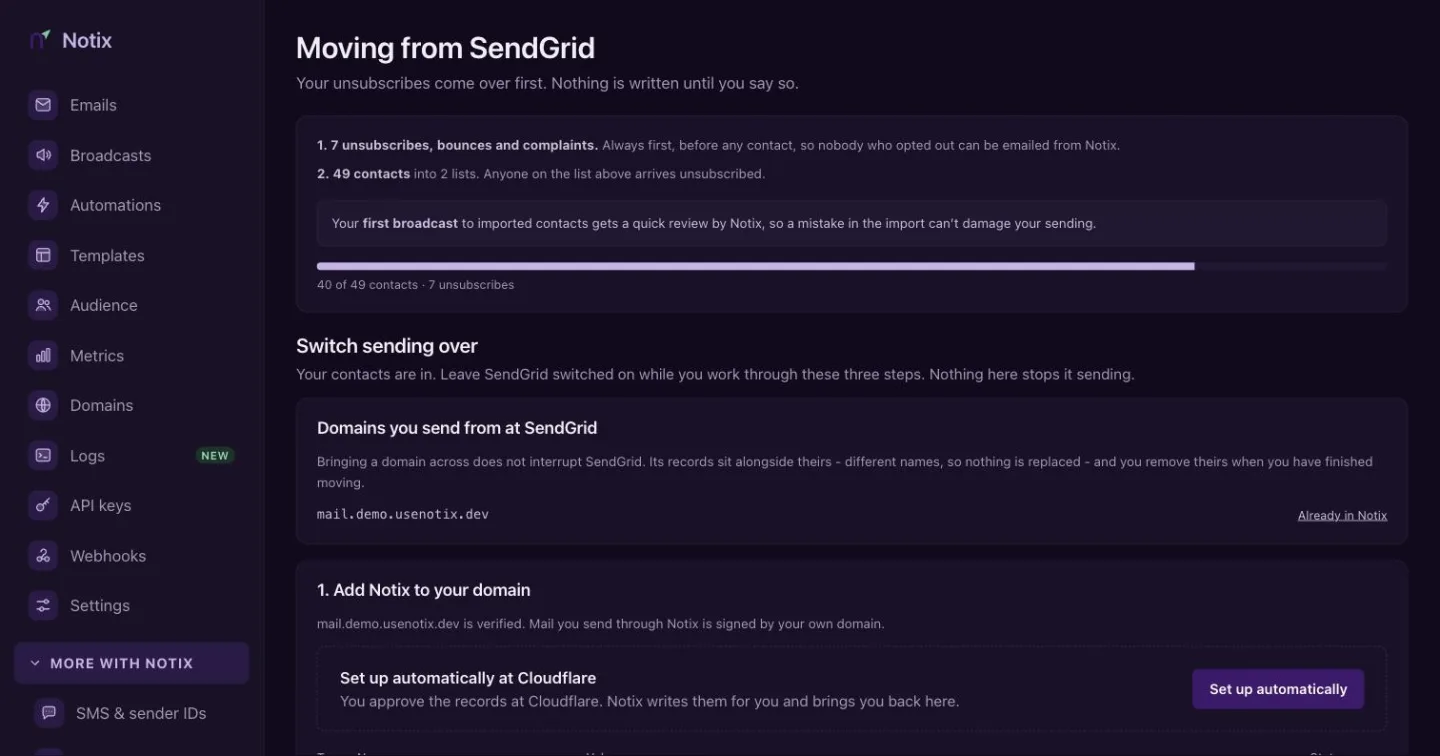
Connect or upload
For a provider Notix can read, paste an API key from your old account and press Read my account. Notix keeps the key sealed for an hour at most and deletes it when the import starts or ends. Notix only reads with it. SendGrid can report a key's scopes, so a SendGrid key that could send is refused. Resend and Mailchimp keys cannot be checked and usually have full access, so make a separate key just for the migration and delete it when the migration is done.
For a file migration, upload your unsubscribes file (unsubscribes, bounces and spam complaints), then your contacts file with a header row. If you have no unsubscribes, tick I have no unsubscribes to import.
Choose what comes over
For a connected account, What comes over lists everything Notix found, with a box for each kind of thing. Every box starts ticked; untick anything you want to leave behind. Each list comes over as a contact book with the same name, marked Migrated from and the provider. If you already have a book with that name, the new one is called "General (from Resend)", for example. Press Leave a list behind to skip a list, such as a list of test addresses.
Domains and API keys are listed but never copied: add your domain to Notix yourself, and make new API keys in Notix.
Import
Notix tells you what it found before anything is written, including any rows it refused and why. Tick These people agreed to hear from us to confirm your contacts opted in, then press Import. Everything comes over in this order:
- Unsubscribes and bounces
- Contacts and custom fields
- Segments and topics
- Templates
- Broadcast drafts and history
- Webhooks
If one kind of thing fails, the rest still come over, and the migration page says what did not and why.
What each provider copies
Resend
- Unsubscribes and contacts, with their properties.
- Segments. A segment whose people are all inside a bigger one becomes a Notix segment of that list's book. Notix marks its people with a property named after it, like
resend_segment_engaged_readers, and the segment matches everyone who has it. Any other segment comes over as a contact book of its own. - Topics, with each person's choice. Resend shares choices one contact at a time, so Notix reads them at five a second, half of Resend's limit, to leave room for your own sending, and only for up to 10,000 contacts, so it finishes inside the 45 minutes each kind of thing has. Above that, topics are not copied at all. A topic only goes live once everyone's choice is in, so a half-copied topic never reaches anyone. When topics do not come over, the migration page warns you: until you add them yourself, a broadcast without a topic reaches people who had opted out of them.
- Templates. Resend's tags become Notix's:
{{{contact.first_name|there}}}becomes{{firstName,fallback=there}}, and{{{RESEND_UNSUBSCRIBE_URL}}}becomes Notix's unsubscribe link, so the email gets no second footer. - Broadcasts. Drafts arrive as Notix drafts that never send on their own: open one, check it and send it from Broadcasts when you are ready. A scheduled one arrives as a draft too. A draft whose sending domain is not in Notix yet waits: add the domain, then press Make the draft on the migration page. A draft is never sent to more people than at your old provider: if its topic, segment or audience did not come over, it arrives with no audience and you pick who it goes to. Sent broadcasts arrive as history you can read: subject, date and how many people it went to ("1,000+" past a thousand for Resend).
- Webhooks, to the same URLs with Notix event names. Each one starts switched off, with a new Notix signing secret. Copy the secret into your handler, then turn the webhook on in Webhooks.
SendGrid
- Unsubscribes, bounces and spam complaints, and contacts.
- Unsubscribe groups become topics, with everyone who unsubscribed from a group turned off for its topic.
- Templates, as above.
- Single sends: drafts as drafts, sent ones as history with how many they went to.
- Event webhooks, switched off with a new secret, as above.
- Segments are listed only. SendGrid shares just a sample of who is in a segment, so rebuild them in Notix with segment rules.
Mailchimp
- Unsubscribes, cleaned addresses (as bounces), and contacts.
- Tags and saved segments become Notix segments of their audience's book, the same way as Resend's.
- Groups (interests) become topics that people opt in to, with everyone who chose a group opted in.
- Your own templates. For a template built in Mailchimp's editor, only its editable sections come over, and the migration page says so.
- Campaigns: drafts as drafts, sent ones as history with how many they went to.
- Audience webhooks, switched off with a new secret.
Not copied
- Domains are listed only. Add your Notix DNS records yourself, then verify. Your old provider's records stay as they are.
- API keys cannot be read from any provider, so make new ones in Notix.
- Automations are coming soon.
Limits for one migration
Up to 50 segments (500,000 members in all), 200 templates, 200 broadcasts and 20 webhooks come over in one migration, and a team has at most 50 topics. A SendGrid unsubscribe group with more than 100,000 people is not copied. Each kind of thing has 45 minutes, and the whole copy 4 hours. Anything past a limit is listed on the migration page as left behind.
Everything a migration copies says Migrated from and the provider in Notix. Over the API it carries source, for example { "provider": "resend", "migratedAt": "…" }, on templates, broadcasts, topics, segments and webhooks, and the sent history is at `GET /v1/broadcasts/imported`.
Move your sending
When the import finishes, three steps move your sending. Leave your old provider switched on while you work through them. Nothing here stops it sending.
Add Notix to your domain
Add your sending domain in Notix and publish its records. If your domain already has an SPF record, do not add a second one. See Add and verify a domain.
New domains start at 200 emails a day. If you connected Resend, SendGrid or Mailchimp, a domain that has been sending steadily and cleanly there can start at 2,000 a day once it is fully verified in Notix. Notix reads a short recent sample in the background after you connect; the page says so while it runs, then shows each domain's start and exactly what was measured, or why it did not qualify. To start above 2,000, choose Request a higher start: a Notix admin decides. See Domain warm-up.
Point your app at Notix
Pick how your app sends today. Use the SMTP relay with the same code and new settings, or an SDK. For SendGrid and Resend, Notix also accepts their send request as it is and answers in the same shape, so existing code keeps working while you migrate. Send your Notix API key as the bearer token.
Move volume over gradually
Mailbox providers trust a sender that grows steadily. Once you have sent through Notix, the page suggests a week-by-week plan to move the rest of your volume.
Webhooks and templates
What else came over lists every segment, topic, template, broadcast and webhook the migration copied, and anything it could not copy, with the reason.
Webhooks shows which Notix events match the ones your old endpoint used. A connected migration has already re-created your webhooks, switched off; you can also create one from there. Notix sends its own payload, signed with your Notix secret.
For SendGrid and Resend, you can turn on Keep sending their format for 30 days. Each event then arrives twice, once as Notix and once in the old shape, with an X-Notix-Compat header so your handler can tell them apart. Both copies are signed with your Notix secret: Notix cannot make your old provider's signature, and will not send something that pretends to be one. See Verify requests.
Templates lists any templates that came over. Each is already a Notix template, marked ready, or as needing a look. An imported template arrives as HTML, which Notix can preview and send. Open one in Templates to check it.
After you switch
The last card reads Almost there, then You're on Notix once you are done. Watch your first week of sending, and delete the files you exported: they hold your contacts' addresses.
A free month of Pro
Teams that connect their Resend, SendGrid or Mailchimp account and migrate to Notix get their first month of Pro free. No card is needed, and nothing is charged when the month ends. A migration from a CSV or an exported file does not count, because Notix needs to read the old account to check it.
It starts the moment all of these are true:
- The migration is a connected migration from Resend, SendGrid or Mailchimp, and it finished importing.
- A sending domain is verified in Notix (the domain, DKIM and MAIL FROM records all pass), and it is on the same domain you sent from at your old provider.
- The migration shows you already send, in one of these ways:
- Your domain starts above the normal warm-up: the automatic 2,000 a day, or a higher start Notix approved. See Warm-up.
- It brought 500 or more contacts spread across at least 50 different email domains (not counting your own domain).
The month lasts 30 days from then. You get one free month per team, one per old provider account and one per person. A second claim from the same old account or the same person is checked by Notix before it starts.
During the month you can add a card or, if you pay in naira or shillings, top up your wallet and choose Renew Pro from my wallet. A card added during the month is first charged when the month ends; in the last 2 days of the month it is charged the day you add it. Your wallet pays for Pro when the month ends only if you chose Renew Pro from my wallet: a top-up alone is never taken. We email you 8 days and 2 days before the end.
If you do nothing, you go back to the Free plan (200 emails a day, 5,000 a month) when the month ends. Nothing is charged, and your contacts, templates, broadcasts and logs all stay. The API shows the month on GET /v1/billing/subscription as freeProMonth.