Segment rules
Build live segments from contact details, properties and email activity.
A segment is a saved filter on one contact book, such as "subscribers on the Pro plan who opened an email in the last 30 days". Segments are live: Notix works out who matches each time you use one, so a contact who changes plan moves in or out without you rebuilding a list.
You can use a segment to:
- Send a broadcast to only the contacts who match it.
- Limit an automation so it enrols only matching contacts, and optionally removes contacts who stop matching.
- Filter and export the contact list in the console.
- Read who matches through the API and the SDKs.
Build a segment in the console
Open the contact book
Open Contacts and choose a contact book.
Start a new segment
Press Segments, then New segment.
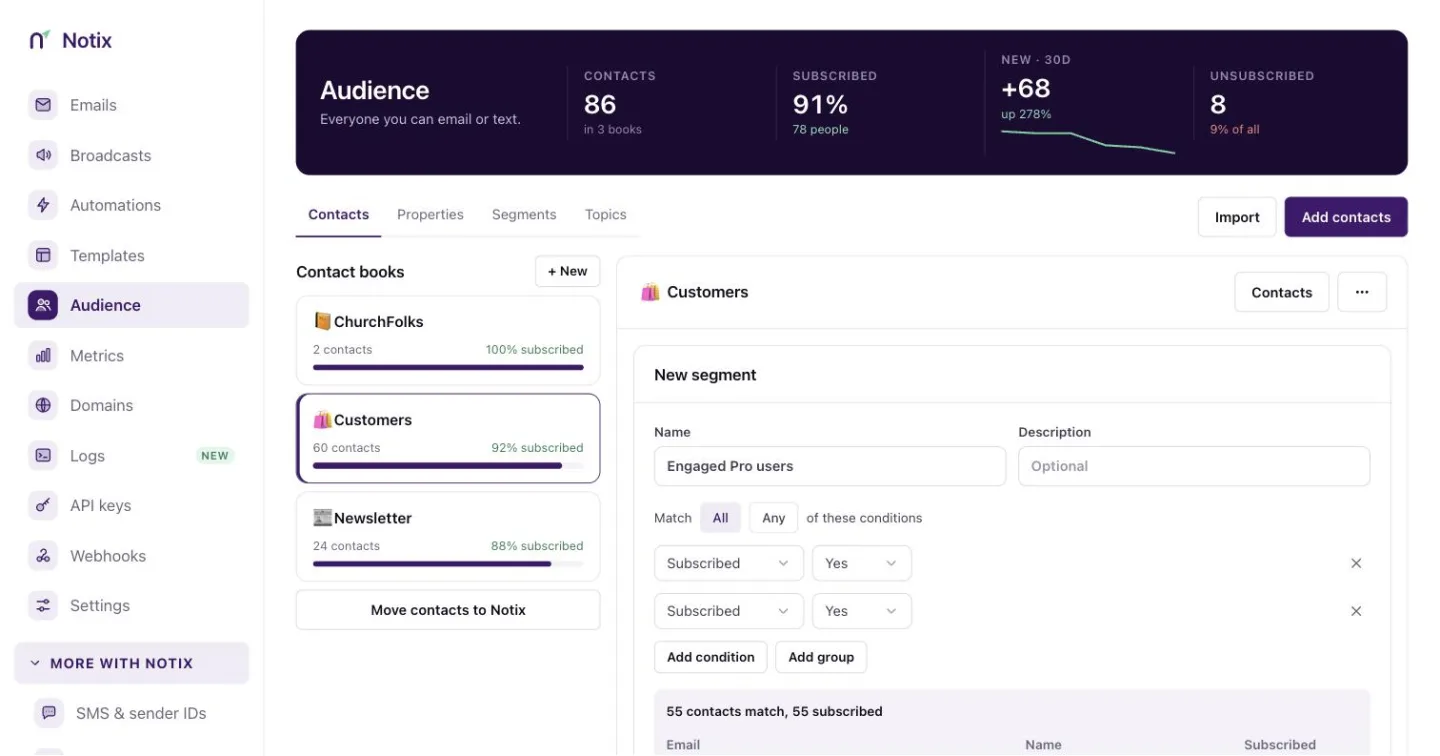
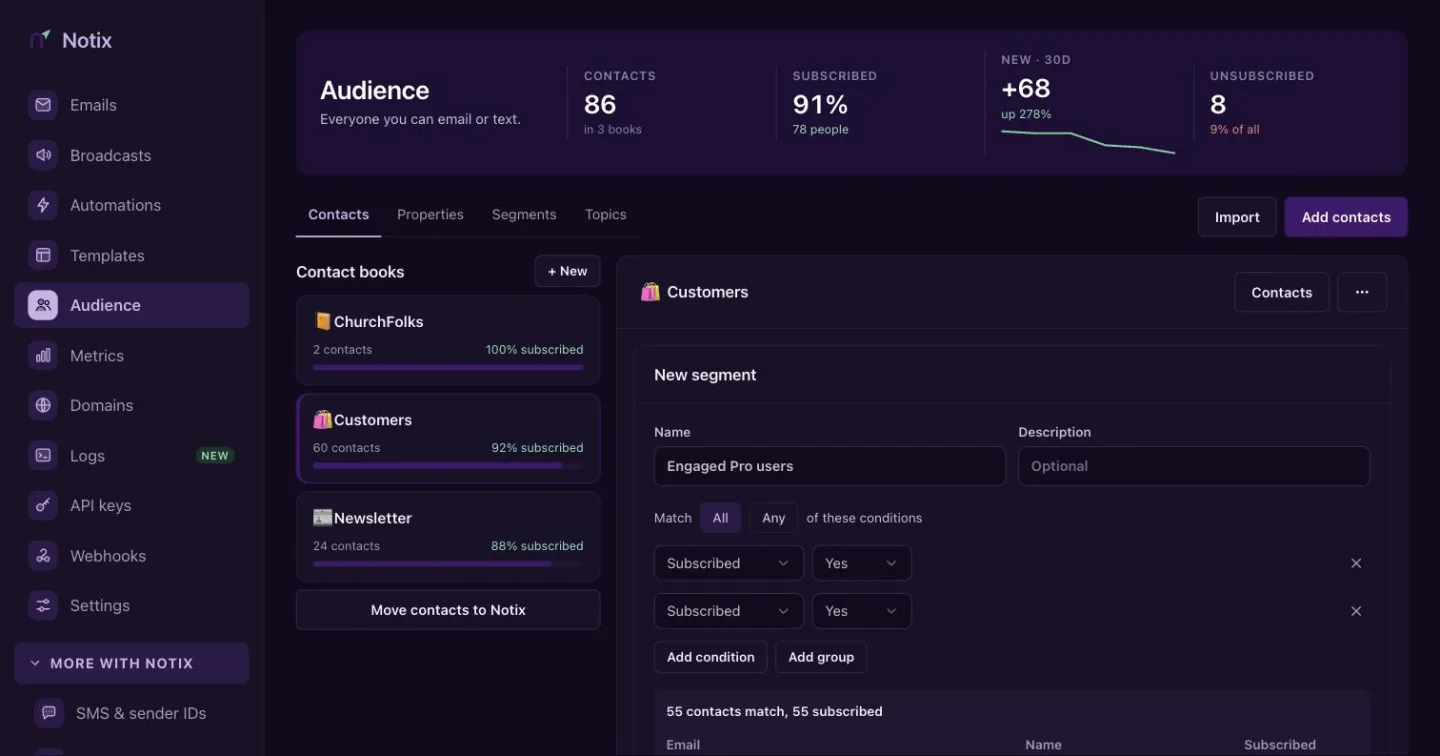
The segment builder. Add conditions on the left and watch the count change. Add conditions
Give it a name, choose All or Any, and press Add condition. Add group nests a set of conditions with its own All or Any, for rules like "on the Pro plan, and opened or clicked recently".
Save it
Check the live count and the preview of the first 25 matching contacts, then press Save segment.
View contacts on a saved segment opens the contact list filtered to it, and Export downloads that filtered list as CSV.
The rule language
Through the API a segment is JSON. match is all or any, and conditions holds conditions or groups. A group is { "type": "group", "match": "all" | "any", "conditions": [...] } and cannot contain another group.
{
  "version": 1,
  "match": "all",
  "conditions": [
    { "type": "property", "key": "plan", "op": "equals", "value": "Pro" },
    {
      "type": "group",
      "match": "any",
      "conditions": [
        { "type": "email_activity", "event": "opened", "op": "in_last_days", "days": 30 },
        { "type": "email_activity", "event": "clicked", "op": "in_last_days", "days": 30 }
      ]
    }
  ]
}
| Condition | Operators | Example |
|---|---|---|
email | equals, not_equals, contains, ends_with | { "type": "email", "op": "ends_with", "value": "@acme.com" } |
first_name, last_name | equals, not_equals, contains, is_set, is_empty | { "type": "first_name", "op": "is_set" } |
subscribed | is | { "type": "subscribed", "op": "is", "value": true } |
added | before, after (a date), in_last_days (a number of days) | { "type": "added", "op": "in_last_days", "value": 14 } |
property | equals, not_equals, contains, is_set, is_empty, gt, gte, lt, lte | { "type": "property", "key": "seats", "op": "gte", "value": 10 } |
email_activity | ever, never, in_last_days with days; event is received, opened or clicked; campaignId is optional | { "type": "email_activity", "event": "clicked", "campaignId": "cmp_123", "op": "ever" } |
email_problem | ever, never; event is bounced or complained | { "type": "email_problem", "event": "bounced", "op": "never" } |
journey | is_in, completed, exited, not_in | { "type": "journey", "journeyId": "jrn_123", "op": "completed" } |
Text comparisons ignore case. A property condition must name a variable registered on the contact book. See Personalisation. gt, gte, lt and lte compare numbers, and a contact whose value is not a number does not match. A broadcast or automation a condition names must belong to your team, and an automation must use the same contact book.
Create a segment with the API
curl -X POST https://app.usenotix.dev/api/v1/contactBooks/cb_123/segments \
  -H "Authorization: Bearer $NOTIX_API_KEY" \
  -H "Content-Type: application/json" \
  -d '{
    "name": "Engaged Pro users",
    "definition": {
      "version": 1,
      "match": "all",
      "conditions": [
        { "type": "property", "key": "plan", "op": "equals", "value": "Pro" },
        { "type": "email_activity", "event": "opened", "op": "in_last_days", "days": 30 }
      ]
    }
  }'
import { Notix } from "notix-js";

const notix = new Notix(process.env.NOTIX_API_KEY);

const { data: segment } = await notix.segments.create("cb_123", {
  name: "Engaged Pro users",
  definition: {
    version: 1,
    match: "all",
    conditions: [
      { type: "property", key: "plan", op: "equals", value: "Pro" },
      { type: "email_activity", event: "opened", op: "in_last_days", days: 30 },
    ],
  },
});
from notix import Notix

client = Notix()  # reads NOTIX_API_KEY

segment, err = client.segments.create("cb_123", {
    "name": "Engaged Pro users",
    "definition": {
        "version": 1,
        "match": "all",
        "conditions": [
            {"type": "property", "key": "plan", "op": "equals", "value": "Pro"},
            {"type": "email_activity", "event": "opened", "op": "in_last_days", "days": 30},
        ],
    },
})
use Notix\Notix;

$notix = new Notix(getenv('NOTIX_API_KEY'));

$segment = $notix->segments->create('cb_123', [
    'name' => 'Engaged Pro users',
    'definition' => [
        'version' => 1,
        'match' => 'all',
        'conditions' => [
            ['type' => 'property', 'key' => 'plan', 'op' => 'equals', 'value' => 'Pro'],
            ['type' => 'email_activity', 'event' => 'opened', 'op' => 'in_last_days', 'days' => 30],
        ],
    ],
]);
Read who matches with List a segment's contacts. It returns a page of up to 100 contacts at a time, with a nextCursor and the total. You can also preview a segment before you save it, and export a segment as CSV.
Send a broadcast to a segment
In the console, open a draft broadcast and choose the segment under the contact list. Through the API, pass segmentId when you create the broadcast:
await notix.broadcasts.create({
  name: "Pro tips",
  from: "hello@acme.com",
  subject: "Three things Pro users miss",
  contactBookId: "cb_123",
  segmentId: "seg_123",
  html: '<p>Hi {{firstName}}</p><a href="{{notix_unsubscribe_url}}">Unsubscribe</a>',
});
When the send starts, Notix saves the list of subscribed contacts who match at that moment and sends to that list, so the broadcast's total stays fixed while it runs. Pausing and resuming keep the list. Contacts who unsubscribe or are suppressed before their batch are still skipped.
Limit an automation to a segment
When you create an automation for Everyone who joins a contact list, pick the list, then a segment of it under and they are. Only contacts who match when they are added are enrolled. See Automations.
Turn on Stop for people who leave the segment to check again before each email. A contact who no longer matches leaves the automation with the exit reason LEFT_SEGMENT, and a journey.exited webhook is sent. Through the API this is exitWhenLeavesSegment.
Enrolling a contact who does not match through Enrol a contact answers 409 with the code NOT_IN_SEGMENT. Enrolling by email still adds the address to the contact book.
Limits and safety
- A contact book holds at most 100 segments, and a segment at most 20 conditions, counting those inside groups.
- A segment used by a scheduled or running broadcast, or by an active, paused or held automation, cannot be deleted or have its conditions changed. The error names the broadcast or automation. Renaming is always allowed.
- If a segment uses a property you later remove from the contact book, it matches nobody and shows Needs fixing in the console, with the reason in
problemsin the API. Broadcasts refuse to send to it, and automations neither enrol nor remove anyone by it until you fix it. - A segment that takes longer than 10 seconds to evaluate answers
422with a message asking you to narrow a time window or remove a condition.