Receiving emails
Receive mail at a Notix address, read it in the console, by API or by webhook.
Notix can receive email as well as send it. Replies to your receipts, codes and broadcasts, and mail people send you, land in a shared inbox. Your team reads them in the console, your code reads them with the API, and your server hears about each one by webhook.
How receiving works
Each inbox has a Notix address that works at once, with no DNS to set up. It looks like acme-support@inbound.usenotix.dev: your team's name, the inbox's name, and the Notix receiving domain.
When a message arrives, Notix:
- checks it for spam and viruses, and puts anything caught in Spam
- checks the sender's domain with DMARC, the one check that proves the From address
- threads it into a conversation with the same customer, or starts a new one
- links it to a contact when the sender is a contact and passed DMARC
- sends an
email.receivedwebhook, unless it was caught as spam
Create your first inbox
Open the Inbox
Go to Inbox in the console. A team admin sees Create your first inbox. A member asks an admin to do it.
Screenshot comingThe Inbox page before any inbox exists, with the Create your first inbox buttonBefore the first inbox: one button creates a Support inbox with its own address. Create the inbox
Press Create your first inbox. Notix makes an inbox named Support, gives it an address, and adds everyone on the team to it.
Copy the address
The address shows at the top of the inbox. Press the copy button beside it.
Send it a message
Send an email to the address from any mail app. It shows in the inbox within a minute.
Get replies to the mail you send
To have customers' replies land in the inbox, set the inbox address as the reply-to of the emails you send.
curl https://app.usenotix.dev/api/v1/emails \
  -H "Authorization: Bearer $NOTIX_API_KEY" \
  -H "Content-Type: application/json" \
  -d '{
    "from": "Acme <receipts@acme.com>",
    "to": "chiamaka@example.com",
    "replyTo": "acme-support@inbound.usenotix.dev",
    "subject": "Your receipt for order 4471",
    "html": "<p>Thanks for your order.</p>"
  }'
import { Notix } from "notix-js";

const notix = new Notix(process.env.NOTIX_API_KEY);

await notix.emails.send({
  from: "Acme <receipts@acme.com>",
  to: "chiamaka@example.com",
  replyTo: "acme-support@inbound.usenotix.dev",
  subject: "Your receipt for order 4471",
  html: "<p>Thanks for your order.</p>",
});
When a reply answers an email Notix sent, the message carries inReplyToEmailId, the id of that email. The console shows the original email beside the conversation.
Read received mail in the console
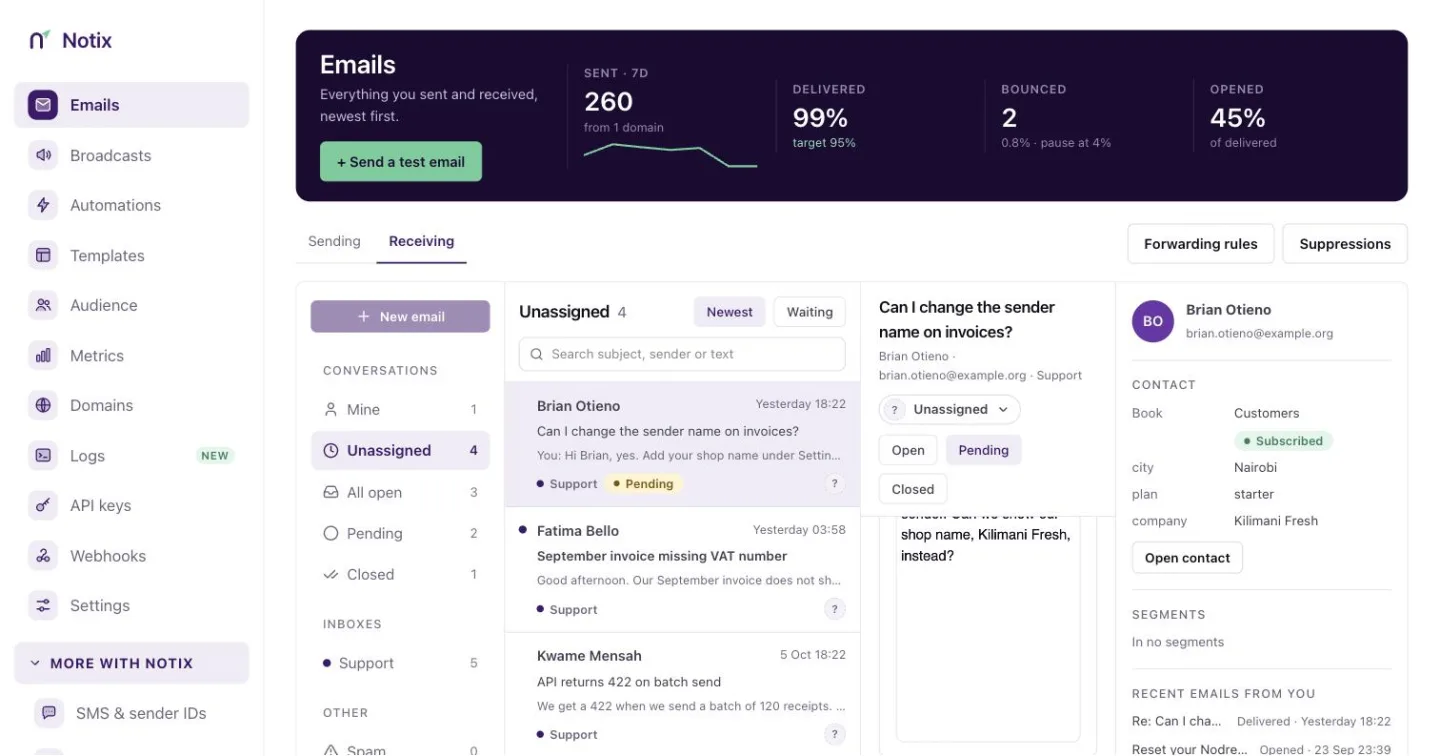
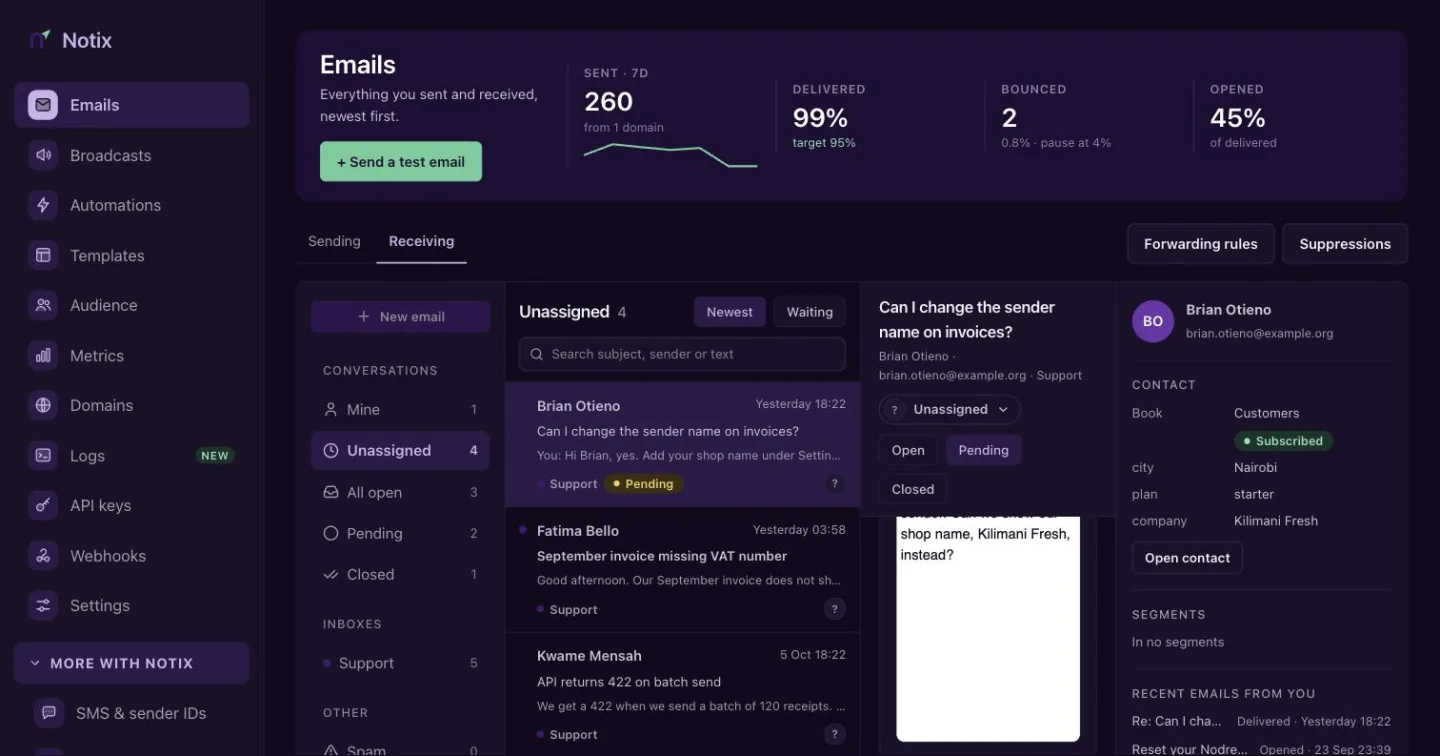
The Inbox lists conversations by view: Mine, Unassigned, All open, Pending and Closed, plus one row per inbox and Spam. Open a conversation to read the whole thread, reply, assign it or leave a note. Shared inbox covers the team features.
Read received mail with the API
| Call | What it does |
|---|---|
| List received messages | Messages your inboxes received, newest first. Spam is left out. |
| Get a received message | One message with its text, safe HTML, strippedText and attachment links. |
| Download the original message | The message exactly as it arrived, as an .eml file. Kept for 30 days. |
| Get a reply thread | A whole conversation, both ways, oldest first. |
| Summarise received mail | Counts of what arrived over the last days, by inbox, status and broadcast. |
curl "https://app.usenotix.dev/api/v1/inbound/messages?limit=10" \
  -H "Authorization: Bearer $NOTIX_API_KEY"
Pass nextCursor back as cursor to get the next page. Add inbox to read one inbox.
A key made by a team member reads only the inboxes that member belongs to. A key made by an admin or the owner reads every inbox. A send-only key and a live AI key cannot read received mail.
Get each message by webhook
Add a webhook with the email.received event and Notix posts each message to your server as it arrives. The payload has the sender, the text, safe HTML, strippedText, attachment links and the DMARC result. Event types shows a full example.
Only trust the From address when senderVerified is true. Anyone can write any From line. When senderVerified is false, the message starts its own conversation and is not linked to a contact, and you should treat the sender as unconfirmed.
Limits
- Messages over 40 MB are dropped and not stored.
- Attachment links in a webhook or an API answer work for 15 minutes. Read the message again for a fresh link.
- The original
.emlfile is kept for 30 days. - The team can make 120 inbox reads a minute through the API.
What comes next
- Custom receiving domains let you receive at any address on your own domain. It is rolling out account by account.
- Forward received emails sends copies of received mail to confirmed addresses by rules.
- AI agents and untrusted email explains how received text reaches an AI agent safely.