
A transactional email delivers or confirms something tied to a specific account or purchase, like a receipt or password reset, while a marketing email promotes products or re-engages a group of subscribers. Engineering teams typically own transactional flows; marketing owns campaigns. Before you send anything, run the primary purpose test, tag each message type at the source, and route them through separate pipelines so compliance rules and sender reputation stay clean.
TL;DR:
- A password reset or shipping notice can lose transactional treatment when discounts or upsells lead the subject line or appear before essential details.
- Treat abandoned cart reminders as marketing: although behavior triggers them, their purpose is to drive a purchase, so consent and unsubscribe rules apply.
- U.S. rules exempt qualifying relationship messages from most opt out requirements, while UK PECR generally requires individuals to give explicit consent for marketing.
- Authenticate sending domains with SPF, DKIM, and DMARC, isolate traffic on separate subdomains or IP pools, and track complaints and bounces by stream.
- Marketing sends need a working unsubscribe mechanism and List-Unsubscribe header; transactional messages should put the order number, code, or tracking link first.
Table of Contents
- What counts as transactional versus marketing email
- Differences to check before you hit send
- Examples of each type and how to template them
- How CAN-SPAM and PECR treat these two email types
- Technical and content practices that protect deliverability
- A rollout checklist for managing both email types
- Why classification discipline matters more than clever copy
- FAQ
- Sources
- Build it on one platform instead of stitching two
What counts as transactional versus marketing email
A transactional email is event-triggered: it fires because a user did something, a password reset request, a completed order, a login code, and it goes to one person with information they need right now. A marketing email is campaign-driven: someone on your team decided to send it, it promotes a product, service, or brand, and it typically goes to a list of subscribers or prospects rather than a single triggered recipient.
The two types also differ in where they originate and who expects what:
- Transactional messages usually come from a transactional email API or SMTP relay tied to application logic, not a campaign tool.
- Marketing messages come from campaign management platforms built for list segmentation, scheduling, and A/B testing.
- Recipients of transactional email expect delivery regardless of marketing preferences, since the message serves an account or transaction they initiated.
- Recipients of marketing email expect to have opted in and retain the ability to opt out at any time.
Getting this classification right at the point of sending is the single most useful habit a team can build, because everything else, compliance, deliverability, and customer trust, depends on it.
Differences to check before you hit send
Before any message goes out, run it through a short mental checklist. The FTC's CAN-SPAM guidance frames this as the "primary purpose" test: what is the dominant reason for this message, to complete or support a transaction, or to advertise something? A message's primary purpose, not the tool that sent it, determines its legal classification.
Apply the test by asking these questions, in order:
- Does the subject line or opening content lead with a transaction detail or an offer?
- Would a reasonable recipient read this primarily as account information or as an advertisement?
- Is there a scheduled send time, or did a specific user action trigger it immediately?
- Does the message include promotional content beyond what completes the transaction?
The differences generally fall into a few buckets:
- Timing: transactional email sends immediately after a trigger event; marketing email is scheduled or batched.
- Recipients: transactional email goes to the specific customer or user tied to the event; marketing email goes to a consented subscriber list.
- Personalization: transactional content is specific to one account or order; marketing content is written for a segment.
- Consent and opt-out: transactional messages are largely exempt from opt-out requirements when they stay on-topic; marketing messages require clear unsubscribe mechanisms.
- Technical signals: marketing sends typically carry a
List-Unsubscribeheader and a distinct envelope sender from transactional traffic.
Misclassification has real consequences. A password reset email that includes a discount banner can lose its transactional exemption and become subject to marketing rules. A shipping notification padded with upsell content risks the same reclassification, plus it muddies deliverability metrics because recipients start marking it as unwanted mail.
Examples of each type and how to template them
Seeing the categories side by side makes classification easier. Canonical transactional examples include:
- Order confirmation, sent the instant a purchase completes.
- Shipping notice, sent when a carrier scan updates tracking status.
- Password reset, sent on request with a time-limited link.
- One-time passcode (OTP), sent during login or verification.
- Invoice or receipt, sent after payment processes.
Canonical marketing examples include:
- Newsletter, sent on a recurring schedule to engaged subscribers.
- Promotional offer, sent to a segment to drive a purchase.
- Re-engagement campaign, sent to inactive accounts to win back attention.
- Abandoned cart reminder, which sits in a gray zone: it is triggered by behavior but exists to drive a sale, so most compliance teams treat it as marketing.
When you template a transactional message, keep the subject line factual ("Your order #4821 has shipped") rather than promotional, and put the essential detail, the code, the amount, the tracking link, in the first visible line. That single habit prevents a transactional message from reading as commercial even if a recipient only sees the preview pane.
How CAN-SPAM and PECR treat these two email types
In the United States, the FTC's CAN-SPAM compliance guide lists five categories of transactional or relationship messages, covering things like completing a transaction a recipient already agreed to, providing warranty or safety information, and delivering account or membership updates. Messages that stay within these categories are exempt from most of CAN-SPAM's opt-out and labeling requirements. The statutory text and implementing notes add that the placement of promotional content and the wording of the subject line can shift a message's classification, so a transactional email that leads with an offer can lose its exempt status.
The primary purpose test is the operational rule teams should default to: a message's classification depends on its content and placement, not on which system sent it, according to the FTC's guidance.
In the UK, ICO guidance on electronic mail marketing draws a similar line under PECR: administrative or customer-service messages are not direct marketing, but adding promotional content converts them into marketing, which then requires consent. Separate ICO guidance on electronic and telephone marketing notes that consent standards differ for marketing to individuals versus marketing to businesses, with individual recipients generally needing explicit opt-in.
A few operational rules follow directly from both frameworks:
- Keep promotional banners, discount codes, and cross-sell CTAs out of transactional subject lines and out of the first screen of content.
- Document consent for every marketing recipient and keep an audit trail of when and how they opted in.
- Include a working unsubscribe mechanism on every marketing send, and honor it promptly.
- Treat anything with a scheduled send time and a promotional goal as marketing, regardless of the template it reuses.
For teams operating outside the US and UK, GDPR consent requirements add another layer, generally requiring affirmative opt-in for marketing email to individuals in the EU and EEA, similar in spirit to PECR but enforced under a separate framework. Our GDPR operations guide walks through the documentation steps that satisfy both regimes at once.
Technical and content practices that protect deliverability
Getting the classification right is only half the job. Sending reliably depends on technical hygiene and content discipline that apply differently to each type.
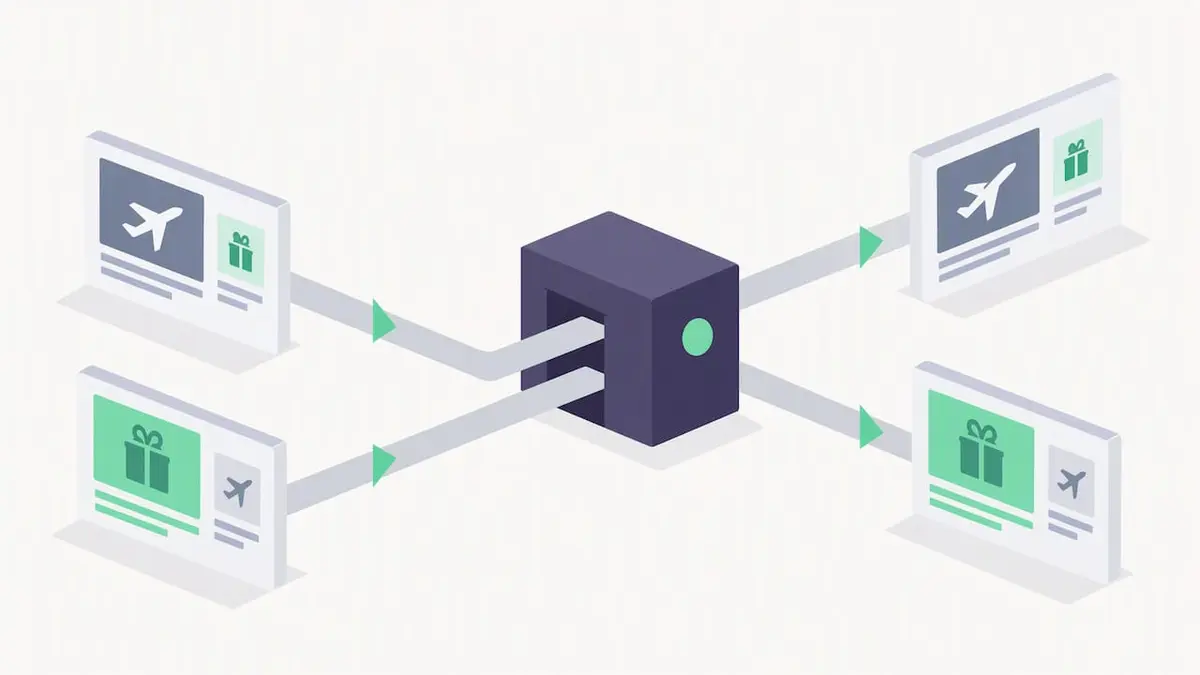
- Authenticate every sending domain with SPF, DKIM, and DMARC, and consider separate subdomains or IP pools for transactional versus marketing traffic so a marketing complaint spike never threatens password reset delivery.
- Set headers correctly: marketing sends need a
List-Unsubscribeheader and a clearReply-To; transactional sends need an envelope sender andMessage-IDthat match the originating domain, which keeps the chain easy to audit. - Put essential content first: a transactional email should state the order number, code, or confirmation detail before any branding or footer content, never after a call-to-action banner.
- Monitor bounce and complaint rates separately for each stream, since a marketing campaign that gets flagged as spam can drag down the sender reputation of an entire shared domain if the streams aren't isolated.
Teams that skip domain separation often discover the hard way that transactional email starts landing in spam folders during a marketing complaint spike. Our guide to transactional deliverability troubleshooting walks through the diagnostic steps when that happens.
Pro Tip: Run your password reset and order confirmation templates through a spam-score checker the same way you would a promotional campaign; transactional templates get flagged too when they carry marketing-style formatting.
A rollout checklist for managing both email types
Turning the rules above into daily practice takes a short, repeatable checklist rather than a long policy document.
- Classify every message type at the source, in code or in the campaign tool, before it ever queues for sending.
- Set up separate sending domains or subdomains for transactional and marketing traffic, with suppression lists that apply across both so a hard bounce or complaint suppresses future sends of either kind.
- Enable double opt-in for marketing contacts to keep consent documentation solid from day one.
- Instrument delivery, open, click, bounce, and complaint metrics separately for each stream, with alerts tied to any uptime or deliverability SLA you depend on.
For order confirmation flows specifically, three quick checks catch most mistakes: confirm the order detail appears above the fold before any other content, confirm the "from" address and envelope sender match your operational domain rather than a marketing subdomain, and confirm suppression and verification logic are wired into the send path so a failed delivery doesn't silently drop a customer notification. Our order confirmation checklist and receipt email templates cover both in more detail, and our suppression list guide explains how shared suppression keeps both streams clean without duplicating effort.
Pro Tip: Treat one-time code delivery as its own monitored category, since OTP failures block logins immediately and deserve tighter SLA alerts than a marketing bounce.
Why classification discipline matters more than clever copy
Most teams spend their energy on subject lines and campaign creative, but the bigger win is upstream: getting the primary purpose test right before a message ever reaches an inbox. Recipients can forgive an average marketing email. They rarely forgive a password reset that reads like an ad, or a receipt that buried the amount under a discount banner.
My priority order for any team building out both pipelines is recipient expectation first, legal classification second, and monetization last. A transactional pipeline that occasionally drives upsells will eventually damage the trust that makes transactional email reliable in the first place. Keep the pipelines separate operationally, even when they share infrastructure, suppression lists, and reporting dashboards. Shared governance, not shared content, is what makes an integrated platform work.
— Paul
FAQ
What qualifies as a transactional email?
A transactional email is triggered by a specific user action or account event, like a purchase, password reset, or login code, and its primary purpose is completing or supporting that transaction rather than advertising. The FTC's CAN-SPAM guidance lists five categories of exempt transactional and relationship messages, including order confirmations and account updates.
What is the 3 email rule?
There's no single official "3 email rule" in CAN-SPAM or PECR; the governing standard is the primary purpose test, which looks at subject line, content placement, and intent rather than a fixed count. Some teams use a three-check habit instead: confirm the transactional detail leads the message, confirm headers match the sending domain, and confirm no promotional content appears before that detail.
What are the four types of emails?
Common categories include transactional (receipts, resets, OTPs), marketing or promotional (offers, announcements), relationship or lifecycle (newsletters, re-engagement), and notification or alert messages (status updates, security alerts). The lines blur in practice, which is why the primary purpose test from CAN-SPAM guidance matters more than the label on the template.
Can you give me an example of a transactional email?
A shipping notification that tells a customer their order has left the warehouse, with a tracking link and no promotional content, is a clear example. A password reset email with a time-limited link is another, and both stay exempt from most opt-out rules as long as they don't add advertising content, per the CAN-SPAM implementing text.
Sources
- CAN-SPAM Act: A Compliance Guide for Business | Federal Trade Commission
- Electronic and telephone marketing | ICO
Build it on one platform instead of stitching two
Running transactional and marketing email through separate vendors means separate suppression lists, separate authentication setups, and separate places to check when something breaks. Our platform provides a single API for both email and SMS, enabling a reset code, a shipping notice, and a re-engagement campaign to share the same suppression list, the same double opt-in records for contacts, and the same operational console, without losing the domain separation that protects transactional deliverability.
If you're setting up business email infrastructure from scratch, a partner guide like this business email setup checklist covers the domain and MX groundwork worth doing before you connect any sending platform. Once that's in place, our Email API handles transactional sends, our SMTP relay covers teams migrating existing infrastructure, and campaign tools sit on the same account so suppression and reputation data stay consistent across both.
Start on the Free plan with no monthly charge and upgrade to the Pro plan once you outgrow free usage limits, with Enterprise available for teams that need custom volume agreements. Check current plan details on our pricing page and get both pipelines running on infrastructure built to keep them separate where it counts and connected where it helps.