
List hygiene means keeping only valid, engaged, and consenting addresses in your sending database, and removing or suppressing the rest. The single most effective step is prevention at the point of capture: pair double opt-in with real-time email validation so bad addresses never enter your list in the first place. Done well, this lowers bounce rates, cuts spam complaints, and keeps your sending costs tied to subscribers who actually open your mail.
TL;DR:
- Keep spam complaint rates well below 0.1%; Gmail warns high volume senders that reaching 0.3% can trigger mitigation and delivery failures.
- For inactive subscribers, send reengagement messages around weeks one, three, and six, then suppress nonresponders by week eight if they neither open nor click.
- Scrub lists every six months, or quarterly for larger or fast growing databases, and validate every bulk import before its first campaign send.
- Suppress hard bounces and confirmed complaints immediately, but give persistent soft bounces and quiet recent signups another chance because temporary failures can resolve.
- Honor unsubscribe requests within 48 hours, and retain minimal suppression records rather than deleting contacts that could return through later imports.
Table of Contents
- What List Hygiene Means for Deliverability and Sender Reputation
- Why Addresses Go Bad and When to Remove or Re-Engage
- Your Operational List Hygiene Checklist
- Tools That Cut the Manual Work of List Maintenance
- Metrics to Watch and When to Act
- Honoring Opt-Outs Without Losing Compliance Ground
- A Simple Re-Engagement Sequence Before You Suppress
- How a Messaging Platform Supports Everyday Hygiene Work
- Why Hygiene Is Ops Work, Not a Project
- Keep Your List Clean Without the Manual Work
- FAQ
- Sources
What List Hygiene Means for Deliverability and Sender Reputation
Mailbox providers decide whether your mail lands in the inbox or the spam folder based on how recipients treat it. A few terms matter here. An invalid email no longer exists or was never real. A role account (like info@ or support@) belongs to a function, not a person, and rarely engages. A hard bounce means permanent failure, usually a bad address or closed domain, while a soft bounce is temporary, often a full inbox or a server hiccup. An inactive subscriber hasn't opened or clicked in months. A spam trap is an address planted specifically to catch senders using outdated or purchased lists.
Each bounce and complaint feeds into your sender reputation. Too many of either signals to providers that you're sending unwanted mail, which affects inbox placement for every message you send afterward, not just the one that triggered it.
- High bounce rates suggest list decay or careless collection practices.
- Spam complaints above industry thresholds can trigger filtering or throttling.
- Low engagement over time tells providers your content isn't wanted, regardless of technical setup.
Why Addresses Go Bad and When to Remove or Re-Engage
Lists degrade for predictable reasons: typos at signup, disposable email addresses used to grab a discount, role accounts collected at trade shows, and purchased or scraped lists that were never opted in. Knowing why an address is bad helps you decide what to do with it.
- Remove immediately: hard bounces, confirmed spam complaints, and addresses with invalid or nonexistent domains.
- Re-engage first: subscribers inactive for a defined window (commonly 3 to 6 months) before you suppress them outright.
- Re-engage first: soft bounces that persist across multiple sends, since these sometimes resolve on their own.
- Re-engage first: recent signups with zero opens, since they may simply need a stronger first impression.
Treating every quiet subscriber the same way wastes opportunity. Some just need a better subject line; others need to go.
Your Operational List Hygiene Checklist
Preventing problems beats fixing them after the fact. At the point of capture, use double opt-in so new subscribers confirm their email before you send them anything else, add inline validation to catch typos as people type, and give every subscriber a preference center to control frequency and topics instead of unsubscribing outright.
Automation handles the rest without manual review. A welcome series confirms intent and surfaces engagement signals early. Immediate suppression on a hard bounce stops you from repeatedly mailing a dead address. Automated opt-down flows let disengaged subscribers reduce frequency instead of leaving entirely.
- Scrub your full list on a recurring schedule, commonly every six months, with quarterly cleaning for larger or fast-growing lists.
- Run validation on any list after a bulk import, before the first send touches those addresses.
- Validate new acquisitions at the source, especially after a promotion, contest, or co-marketing campaign that brings in a spike of signups.
- Build a standing re-engagement flow so inactive subscribers get one more chance before suppression.
Pro Tip: Run a validation pass immediately after any list import, even from trusted sources, since even clean-looking exports often carry outdated or mistyped addresses.
Tools That Cut the Manual Work of List Maintenance
Real-time validation checks an address the moment someone types it, catching typos and disposable domains before they ever reach your database. Batch validation works on existing lists, useful for a periodic scrub or after importing a large file. Both matter, but they solve different problems: one prevents, the other cleans up what already got in.
- Unified suppression lists that cover marketing and transactional sends prevent a suppressed contact from receiving mail through a different channel by accident.
- List-Unsubscribe headers and one-click unsubscribe reduce spam complaints by giving recipients an easy exit instead of a complaint button, and Gmail requires this for bulk senders.
- An email API or SMTP relay gives you programmatic control over verification, suppression checks, and webhook alerts, which matters once manual review of every send becomes impractical.
Metrics to Watch and When to Act
Four numbers tell you most of what you need to know: bounce rate, spam or abuse complaint rate, open and click rates, and overall delivery rate. Watching them together catches problems that a single metric would miss.
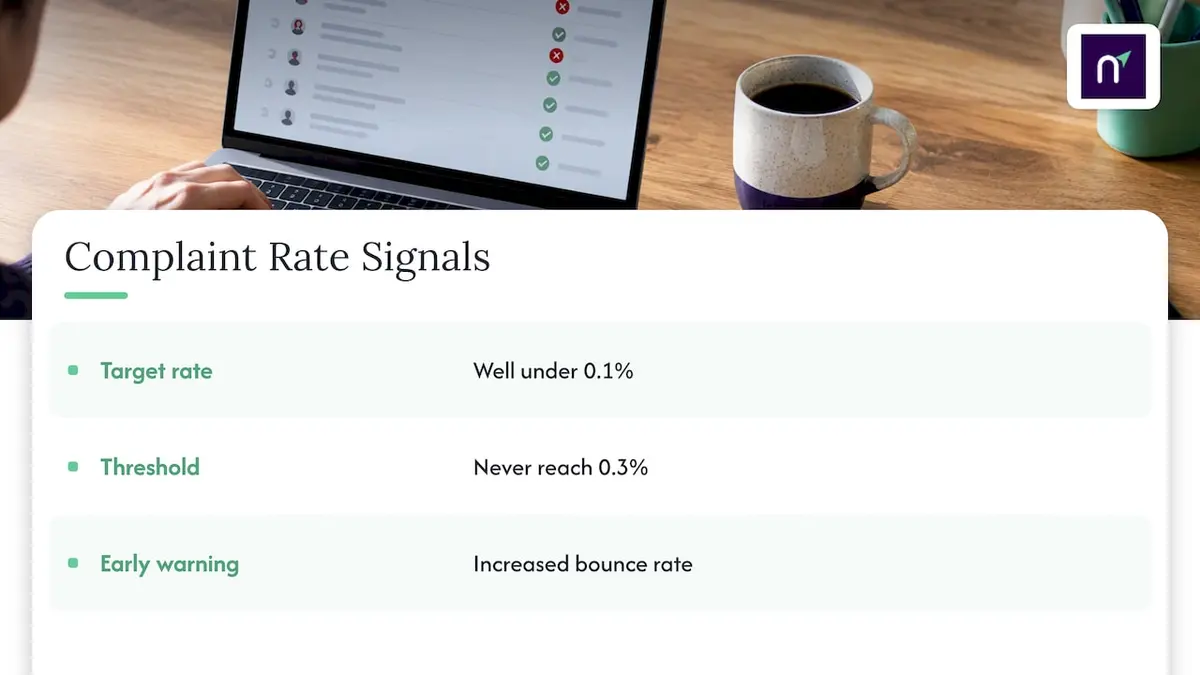
Mailbox providers recommend keeping spam complaint rates well under 0.1%, and never reaching 0.3%, since crossing that threshold can trigger mitigation loss and delivery failures for bulk senders. Gmail's sender guidelines set this bar specifically for high-volume senders, and increased bounce rates are a common signal that your list needs attention before the next send.
Postmaster Tools and your sending platform's dashboard both surface these numbers. Set alerts for sudden spikes in complaints or bounces rather than checking manually, since reputation damage often happens faster than a weekly review catches it.
Honoring Opt-Outs Without Losing Compliance Ground
Suppression lists beat deletion for one practical reason: a deleted record can get re-imported by accident from an old spreadsheet or a merged database, while a suppression list screens every future import against people who already objected. ICO guidance recommends exactly this approach for respecting marketing preferences.
- Honor unsubscribe requests quickly, within 48 hours according to Gmail's subscription guidelines, and sooner where your systems allow it.
- Implement one-click unsubscribe wherever your sending volume requires it, since this is now a baseline expectation rather than a nice extra.
- Keep only the minimum data needed on a suppression list, enough to recognize and block the contact, nothing more.
A Simple Re-Engagement Sequence Before You Suppress
A short, structured sequence gives inactive subscribers a fair chance before suppression, and keeps you from guessing.
- Send message one around week one, testing a different subject line than your usual send.
- Send message two around week three, offering an opt-down to fewer emails instead of asking for full re-engagement.
- Send message three around week six, asking directly whether they want to stay subscribed.
- Move non-responders to suppression by week eight if none of the three messages produced an open or click.
Shopify's deliverability guidance recommends treating this as a staged test, since the lift you see on a small test group should hold before you apply the same sequence to your full inactive segment.
How a Messaging Platform Supports Everyday Hygiene Work
Most of the checklist above maps directly to features we build into our own platform, Notix. Double opt-in confirms intent at signup before an address ever reaches an active send list, and verification tools catch invalid formats before they cost you a bounce.
- Unified suppression across marketing and transactional streams keeps a suppressed contact from slipping back in through a different message type.
- Built-in List-Unsubscribe support gives recipients a one-click path out, reducing complaint-driven reputation damage.
- API-driven verification and signed webhooks let your systems react to a bounce or complaint the moment it happens, instead of waiting for a manual export.
Our learning resources on email suppression and List-Unsubscribe implementation cover the technical details for teams setting this up.
Why Hygiene Is Ops Work, Not a Project
List hygiene isn't a quarterly cleanup task you finish and forget. It's ongoing operational work, the same as monitoring uptime or watching error rates. Prevent bad data at the point of capture, automate suppression so nothing slips through on a manual oversight, and treat every bounce or complaint as a signal worth acting on the same day.
— Paul
Keep Your List Clean Without the Manual Work
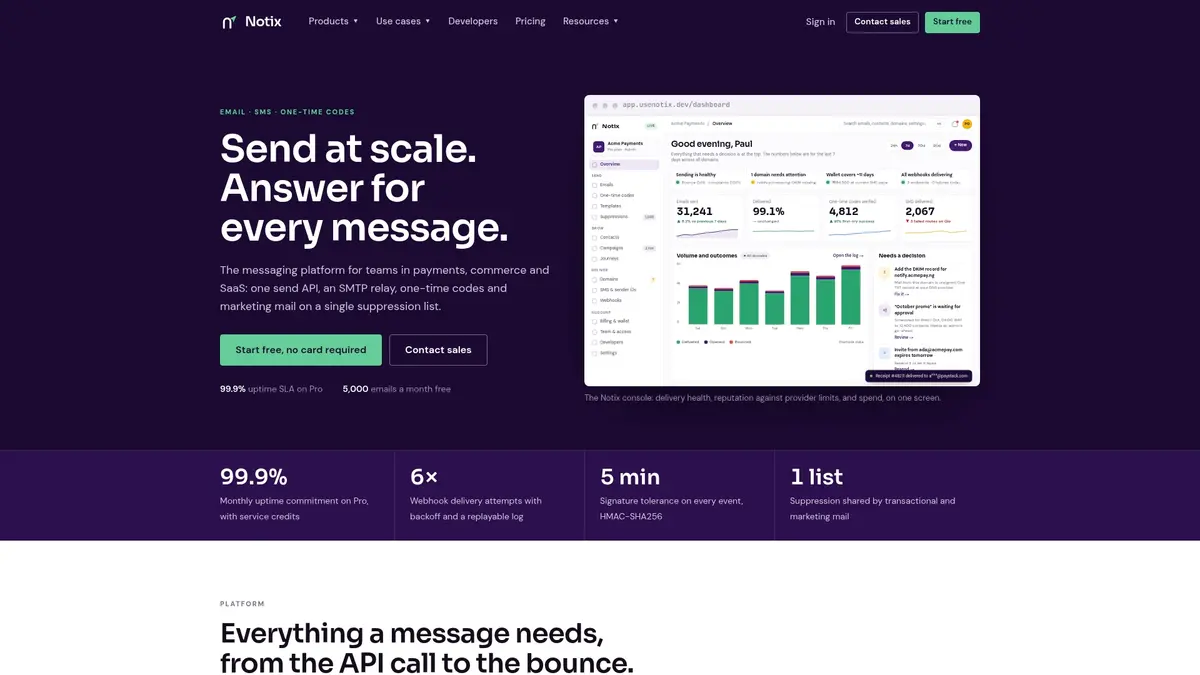
Our platform includes double opt-in, unified suppression, and deliverability monitoring together instead of using separate tools. A hard bounce triggers automatic suppression across both marketing and transactional sends, and List-Unsubscribe headers are handled for you rather than bolted on later.
- The Email API and SMTP relay route through the same suppression logic to keep verification and sending consistent.
- Transparent, volume-based pricing starts with a free plan, so you can test the setup before committing to a paid tier.
- An operational console provides bounce and complaint visibility without exporting data to other validation tools.
Check our pricing plans to see which tier fits your current list size and sending volume.
FAQ
What counts as good list hygiene practice?
Good list hygiene means validating addresses at signup, removing hard bounces immediately, and running a full list scrub on a recurring schedule, commonly every six months. It also means honoring unsubscribe requests quickly and keeping suppression lists instead of deleting records outright.
What are the best practices for email list hygiene?
The core practices are double opt-in at signup, real-time validation to catch typos and disposable addresses, immediate suppression after a hard bounce, and a structured re-engagement sequence before suppressing inactive subscribers. Gmail's subscription guidelines also call for honoring unsubscribe requests within 48 hours.
How often should I clean my email list?
Common guidance recommends cleaning your list at least twice a year, with quarterly or more frequent scrubs for larger or fast-growing lists. You should also run a validation pass right after any bulk import or major signup spike.
What is the difference between a hard bounce and a soft bounce?
A hard bounce is permanent, usually caused by a nonexistent address or closed domain, and should trigger immediate suppression. A soft bounce is temporary, often from a full inbox or a brief server issue, and may resolve after a few attempts before you consider removing the address.
How quickly should I honor an unsubscribe request?
Unsubscribe requests should be honored within 48 hours according to Gmail's subscription guidelines, and sooner wherever your systems support it. Moving the contact to a suppression list, rather than deleting the record, also helps prevent accidental re-contact from a future import.
Sources
- Email sender guidelines - Gmail Help
- Respect people's preferences — ICO
- Shopify — Email list hygiene and deliverability