
Improving email deliverability comes down to four actions: authenticate your sending domain with SPF, DKIM, and DMARC in proper alignment, keep your list permission-based with double opt-in, ramp new sending volume gradually to your most engaged recipients, and watch ISP dashboards like Gmail Postmaster Tools for early signs of trouble. Everything else is detail work around these four pillars.
TL;DR:
- Authenticating your domain with SPF, DKIM, and DMARC in proper alignment is critical; misalignment frequently causes emails to land in spam despite passing checks.
- Maintaining a permission-based list with double opt-in, removing hard bounces immediately, and routing complaints into automated suppression strongly protect your sender reputation.
- Gradually warming up new IPs with engaged recipients and segmenting transactional from marketing emails prevent ISP throttling and improve deliverability.
- Monitoring key metrics weekly with tools like Gmail Postmaster and Yahoo Senders Hub helps identify issues early before reputation damage occurs.
- Coordinating technical DNS setup by engineering teams and content/consent decisions by marketing minimizes deliverability risks and maintains compliance.
Table of Contents
- Authentication and DNS checklist: SPF, DKIM, DMARC, PTR, and TLS
- List quality and suppression management: double opt-in and bounces
- Warm-up, cadence, and segmentation to avoid ISP throttling
- Message-level best practices: subject lines, HTML, and unsubscribe links
- Signals to watch and how to fix delivery problems
- Execution notes for teams: coordinating engineering and marketing
- How Notix supports deliverability from setup to send
- FAQ
- Sources
Authentication and DNS checklist: SPF, DKIM, DMARC, PTR, and TLS
SPF tells receiving servers which IP addresses are allowed to send mail for your domain. DKIM adds a cryptographic signature that proves a message wasn't altered in transit. DMARC ties the two together and tells mailbox providers what to do when a message fails either check. Gmail requires SPF and DKIM and expects DMARC alignment between your authentication records and the domain shown in the From: header. Misalignment is one of the most common causes of mail landing in spam even when SPF and DKIM technically pass: it often happens when a team sends from a subdomain without configuring DKIM to sign with the same organizational domain, so fixing it means matching the signing domain to the From: header or setting up subdomain-specific DMARC records.
Run through this before you send any meaningful volume:
- Publish an SPF record that includes every service that sends on your behalf, staying under the 10 DNS lookup limit.
- Set up DKIM with a 2048-bit key where supported, using a dedicated selector per sending platform, detailed in DKIM selector guidance.
- Publish DMARC starting at
p=noneto monitor, then progress toquarantineandrejectas alignment stabilizes. - Confirm PTR (reverse DNS) matches your sending IP and that your server supports TLS for inbound and outbound connections.
Pro Tip: Re-check your SPF, DKIM, and DMARC records monthly, especially after adding a new marketing tool or CRM integration, since forgotten SPF entries are a frequent cause of silent failures.
Use a DNS validator and your SPF documentation to catch lookup overages before they break authentication entirely.
List quality and suppression management: double opt-in and bounces
A clean list is the single biggest lever you control directly, and it starts before the first send.
- Use double opt-in and state sending frequency clearly at signup so new subscribers know what to expect.
- Remove hard bounces immediately and route complaints and unsubscribes into automated suppression so they're never contacted again.
- Run a re-engagement sequence for subscribers inactive for several months, and delete addresses that don't respond.
- Use an email verification tool to strip invalid or role-based addresses before a large list import.
- Log every unsubscribe request and honor it promptly, including processing the List-Unsubscribe header within the timeline ISPs expect.
Yahoo's sender requirements call out a one-click List-Unsubscribe header built on RFC 8058 as a near-mandatory feature for bulk senders, and skipping it increases the odds a recipient reports your mail as spam instead of just leaving.
Warm-up, cadence, and segmentation to avoid ISP throttling
New IPs and newly active sending domains carry no history with mailbox providers, so providers watch early volume closely. HubSpot's deliverability guidance recommends warming up gradually and sending to engaged recipients first, which gives ISPs a positive signal before volume scales up.
- Start warm-up with your most engaged segment for several days per volume step, a pattern WordStream's deliverability checklist outlines, then expand to broader tiers while watching deferrals and spam complaints.
- Separate transactional and marketing traffic onto different IPs or DKIM domains, covered in our transactional email API documentation, so a promotional campaign never drags down receipt confirmations or password resets.
- Respect per-connection rate limits set by each ISP and implement exponential backoff for retries.
- Treat repeated 4xx responses as a signal to slow down, not retry harder.
Pro Tip: Any address that returns a 5xx response should be suppressed immediately. Retrying a permanent failure wastes sending reputation for no benefit.
Message-level best practices: subject lines, HTML, and unsubscribe links
Content and formatting choices feed directly into the spam-filtering signals ISPs already use to judge your authentication and sending patterns.
- Keep subject lines and preview text consistent with the message body; mismatches read as deceptive to filters and to recipients.
- Avoid spam-trigger words and excessive punctuation or all-caps phrasing in subject lines.
- Write clean, valid HTML with a plain-text fallback and a reasonable text-to-image ratio, keeping total message size modest.
- Use HTTPS links on your own domain rather than URL shorteners, and periodically check that outbound links still resolve and haven't landed on a blocklist.
- Add a List-Unsubscribe header per RFC 8058 alongside a visible unsubscribe link in the body, and process opt-outs without delay.
A message that's clean on these fronts gives filters less reason to second-guess an otherwise well-authenticated sender.
Signals to watch and how to fix delivery problems
Deliverability problems rarely appear without warning. The metrics worth tracking daily are spam rate, complaint rate, bounce rate, open and click engagement, and deferral rate.
- Check Gmail Postmaster Tools and Yahoo Sender Hub weekly, along with any ISP-specific dashboard you have access to.
- Watch public blocklists if bounce rates spike unexpectedly.
- Treat a 4xx response as temporary (rate limiting or a transient issue) and a 5xx response as permanent, meaning the address should be suppressed.
Gmail recommends keeping spam complaint rates below 0.1% and warns that crossing 0.3% can make remediation tools unavailable. That gap between the two thresholds is your margin for error. When metrics slip, pause active campaigns, review any recent change to content, authentication, or volume, fix what's broken, and remove the riskiest segments before resuming. If a major ISP continues blocking mail after fixes land, most provide a mitigation request process that expects sending logs and recent volume history as evidence.
Execution notes for teams: coordinating engineering and marketing
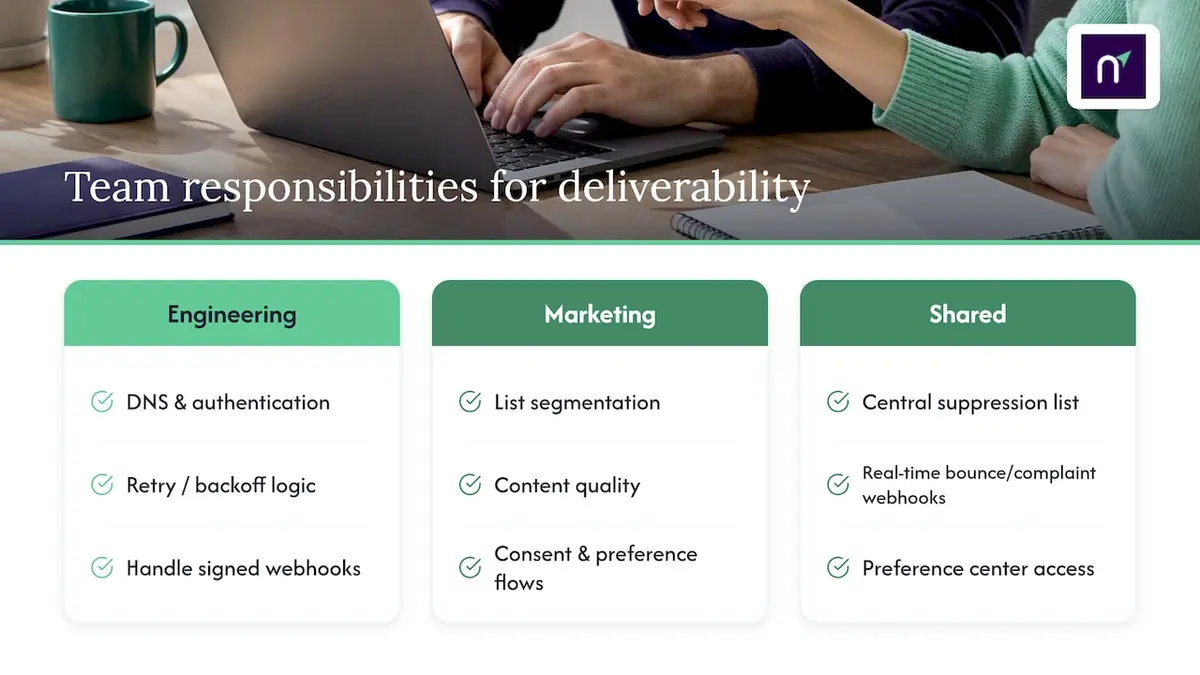
Deliverability breaks down when it's treated as one team's job. Engineering should own DNS records, authentication, and retry or backoff logic, since those require direct access to mail server configuration. Marketing should own list segmentation, content quality, and consent flows, since those decisions shape what recipients actually experience.
A shared suppression list that both transactional and marketing systems read from prevents a marketing complaint from poisoning a password-reset send, or vice versa. Signed webhooks for bounce and complaint events let engineering react within minutes instead of waiting on a manual export. A preference center gives recipients a middle ground between full unsubscribe and silence, which tends to reduce complaint rates over time.
— Paul
How Notix supports deliverability from setup to send
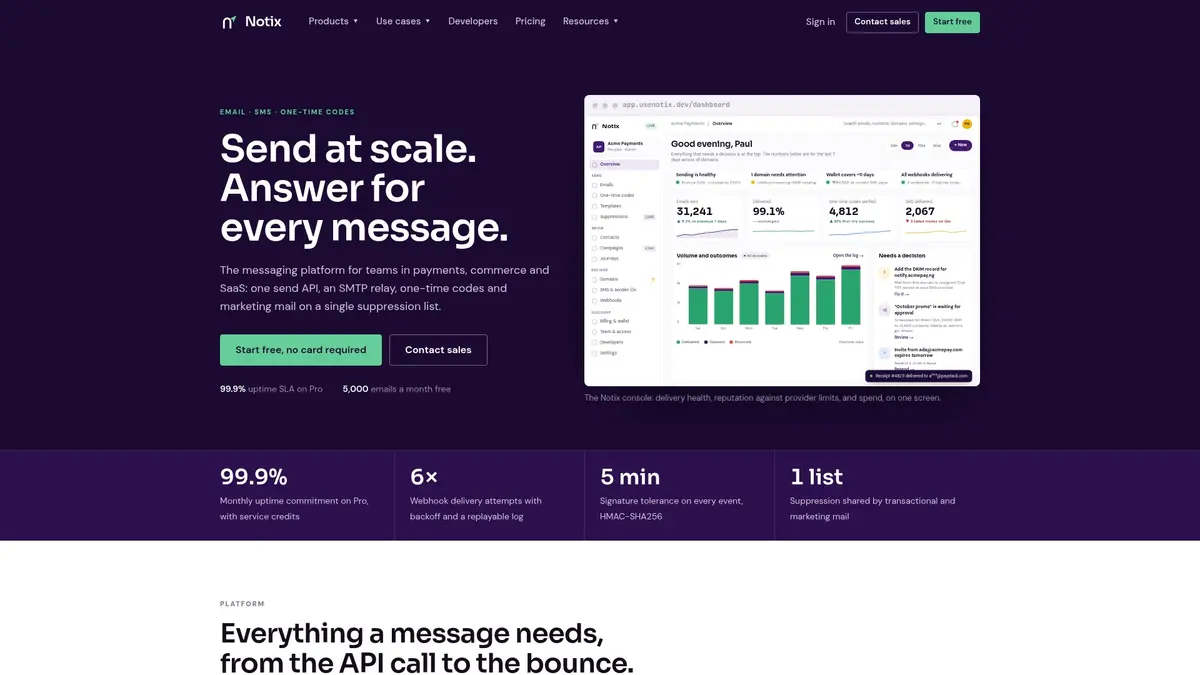
We built Notix around the idea that deliverability shouldn't require stitching together five separate tools. Our platform keeps double opt-in, automated suppression, and domain management in one place, and that suppression list is shared across transactional and marketing sends so a complaint on one side never damages the other.
- One API for email and SMS, with SMTP relay available for teams that prefer it.
- Domain-level reputation management kept separate from shared infrastructure.
- An operational console covering campaigns, transactional sends, and one-time code verification together.
If you're setting up authentication and suppression from scratch, our Free plan is a practical starting point, and our Email API documentation walks through technical onboarding for engineering teams that want to move quickly.
FAQ
Why do emails go to spam even with SPF and DKIM set up?
The most common cause is alignment failure, where the domain in the From: header doesn't match the domain SPF or DKIM authenticates. Gmail's sender guidelines note that authentication passing technically doesn't guarantee inbox placement if engagement signals or spam complaint rates are also poor.
How do I monitor email deliverability on an ongoing basis?
Check Gmail Postmaster Tools and Yahoo Sender Hub weekly for reputation and spam-rate data, and track bounce, complaint, and engagement rates inside your sending platform. Set alerts for sudden spikes so you can pause and investigate before reputation damage compounds.
What spam complaint rate is considered safe?
Gmail recommends staying under a 0.1% complaint rate and warns against ever approaching 0.3%, since mitigation options can become unavailable past that point. Staying well below the lower threshold gives you room to absorb an occasional bad send.
Should I use double opt-in for every list?
Double opt-in is strongly recommended for marketing lists because it confirms genuine interest and reduces complaint rates, which protects sender reputation over time. It's less relevant for strictly transactional messages like password resets or order confirmations, where the recipient already initiated the action.
What's the difference between a 4xx and 5xx bounce?
A 4xx response is a temporary deferral, often caused by rate limiting, and the message can be retried later. A 5xx response is a permanent failure, such as an invalid address or hard authentication rejection, and that address should be suppressed immediately rather than retried.
Sources
- Email sender guidelines - Gmail Help
- Sender best practices | Yahoo Sender Hub
- The Complete Email Deliverability Checklist for 2026 | WordStream
- Improve email deliverability - HubSpot Knowledge Base