
Email OTP verification is appropriate for confirming address ownership and gating low-risk sign-ins, but it should never be your only second factor for sensitive account actions. NIST’s SP 800-63B guidance prohibits email as an out-of-band authenticator, and OWASP treats it as a weak factor because it inherits the security of whatever inbox holds it. Used correctly, with short-lived single-use codes, rate limiting, and clean logging, it’s a solid tool for the right job. The checklist below shows what “correctly” actually means in production.
TL;DR:
- Email OTP should not be used as the sole second factor for sensitive actions, as it inheres security risks from the user’s inbox security.
- Implement short-lived (5–15 minute), single-use tokens stored as hashes, with rate limiting and session binding to prevent replay and abuse.
- Use email OTP mainly for verifying email addresses or low-risk sign-ins, avoiding critical operations like financial transactions or account changes.
- Strictly adhere to security practices such as configuring proper SPF/DKIM/DMARC, masking logs, and monitoring delivery metrics to ensure reliable and secure delivery.
- Consider a service like Notix that provides an integrated API for token generation, delivery, and bounce handling to reduce complex engineering and security overhead.
Table of Contents
- What Is Email OTP Verification and How Do Codes Differ From Links?
- What Do NIST and OWASP Say About Email OTP Security?
- When Should You Actually Use Email OTP?
- Developer Implementation Checklist for Secure Email OTP
- How Should You Build the Token Logic?
- How Do You Keep OTP Emails Out of the Spam Folder?
- What Should You Monitor Once OTP Is in Production?
- How Notix Supports Secure Email OTP Delivery
- The Recommended Baseline
- Get Email OTP Infrastructure Without Building It From Scratch
- Sources
- FAQ
What Is Email OTP Verification and How Do Codes Differ From Links?
An email OTP is a temporary credential sent to a user’s inbox to prove they control that address or to authorize a specific action. It comes in two shapes: a short numeric code the user types back into your app, or a one-time link the user clicks to complete verification automatically. Both accomplish the same goal through different mechanics, and the choice affects your UX more than most teams expect.
Code-based OTP asks the user to open their email, memorize or copy a short numeric code, switch back to your app, and paste them in. It’s clunky on paper, but modern browsers and mobile operating systems auto-fill OTP codes from SMS and increasingly from email previews, which cuts the friction dramatically. Codes also work cleanly when the user is verifying on the same device where they’ll continue their session, and they don’t leak any information if the email itself gets forwarded or screenshotted, since the code alone is useless without your app’s context.
One-time links skip the copy-paste step entirely: the user clicks, and your server validates the token embedded in the URL. That’s faster when it works, but it introduces a cross-device problem. If someone requests a verification link on their phone but reads email on a desktop, clicking the link authenticates the wrong browser session unless you build in session transfer logic. Links also get mangled by corporate email security scanners that “pre-click” every URL to check for malware, which can silently burn a single-use token before the real user ever sees it. MDN’s OTP documentation notes this trade-off directly when comparing delivery methods.
A few practical differences worth planning around:
- Autofill support: codes benefit from OS-level autofill (iOS Mail, Gmail); links do not.
- Phishing surface: links are easier to spoof visually in a fraudulent email; codes force the user back into your legitimate app.
- Cross-device friction: codes handle it gracefully; links usually don’t without extra engineering.
- Delivery latency: both depend on the same SMTP or API pipeline, so expect the same 1 to 15 second typical delivery window, longer during provider throttling or greylisting.
Set a retry policy that assumes some fraction of first-attempt sends will land slowly or not at all. A resend button with a short cooldown, paired with clear “check spam” messaging, handles the vast majority of user complaints about “never received my code.”
What Do NIST and OWASP Say About Email OTP Security?
Here’s the sentence every developer building an authentication flow should read twice: NIST’s SP 800-63B states that email shall not be used for out-of-band authentication, citing vulnerabilities like interception and DNS rerouting. Confirmation codes for address validation are explicitly permitted; using that same mechanism as a security factor is not.
That distinction trips up a lot of teams. Verifying that someone owns an inbox is a different job than proving that the person currently sitting at the keyboard is authorized to move money or change account permissions. Email OTP does the first job well. It does the second job poorly, because anyone who compromises the user’s email account, through credential stuffing, a SIM-swapped recovery flow, or a phishing kit, inherits every code you send. OWASP’s Multifactor Authentication Cheat Sheet makes the same point from a different angle: email is a weak factor precisely because it depends entirely on the security posture of a system you don’t control.
OWASP’s Email Validation and Verification Cheat Sheet gets more specific about implementation. It recommends verifying email ownership at signup, generating tokens that are cryptographically random, single-use, and time-limited, and monitoring verification attempts for abuse patterns. It also flags a mistake that shows up constantly in code review: logging the full email address or the token itself anywhere in application logs, error traces, or third-party analytics.
The standards gap in one sentence: email OTP proves inbox control, not identity, and neither NIST nor OWASP treats it as a substitute for a real second authentication factor.
Translating that guidance into engineering decisions looks like this:
- Set a short TTL. Codes and links should expire in 5 to 15 minutes. Anything longer widens the window for interception or credential replay.
- Enforce single use. Once a token is verified, invalidate it immediately in the same transaction, not as a follow-up write.
- Rate limit aggressively. Cap requests per account and per source IP; a user who requests ten codes in a minute is either broken software or an attacker probing your endpoint.
- Bind to session context where possible. Tie the token to the session or device that requested it so a leaked code can’t be replayed from an unrelated session.
- Brand every email clearly. Ambiguous sender names and generic templates train users to click anything that looks vaguely official, which is exactly what phishing kits exploit.
- Never log the token or the raw address. Mask or hash both in any log line, metric, or error report your system produces.
None of these controls turn email OTP into a strong authenticator. They reduce the blast radius when something goes wrong, which is the realistic goal for a channel NIST already tells you not to lean on for anything sensitive.
When Should You Actually Use Email OTP?
Email OTP earns its place in a few specific spots and becomes a liability in others. The line usually comes down to one question: what happens if this code gets intercepted?
Good fits include confirming a new account’s email address during signup, gating low-risk sign-ins where the worst-case outcome is minor inconvenience, and serving as a recovery fallback when a primary authenticator like a hardware key or authenticator app isn’t available. In each case, a compromised code costs the user annoyance, not money or data exposure.
Poor fits include using email OTP as your only second factor for financial transactions, admin console access, or any action that changes account ownership or permissions. If an attacker who already phished a user’s email password can also complete your “second factor,” you haven’t added a factor at all. You’ve just added a delay.
Here’s how email OTP stacks up against the alternatives developers usually consider:
- TOTP (authenticator apps): generates codes locally on the device, immune to email account compromise, and MDN explicitly notes it’s considered more secure than email or SMS OTP. Better for anything sensitive.
- WebAuthn/FIDO2 (passkeys, security keys): cryptographically bound to the origin and device, resistant to phishing by design. The strongest option available for high-value actions, though it requires more upfront integration work.
- SMS OTP: shares many of email’s weaknesses (interception, SIM swapping) and carries its own carrier-dependent delivery delays. Not meaningfully stronger than email for security purposes, just differently vulnerable.
- Email OTP: cheapest to implement, universally available since everyone has an inbox, and appropriate for verification and low-risk recovery. Not a substitute for any of the above when stakes are high.
Emerging proposals like the IETF’s Email Verification Protocol draft are trying to standardize email verification with better privacy guarantees, but they’re not yet something you’d build production infrastructure around. For now, treat email OTP as a verification and low-friction convenience tool, and reach for TOTP or WebAuthn when the action on the other side of that gate actually matters.
Developer Implementation Checklist for Secure Email OTP
This is the order to build things in, not just a list of nice-to-haves. Skipping steps 1 through 3 is how teams end up rebuilding their token logic six months after a security review flags it.
- Generate tokens with a cryptographically secure random source. Use your language’s CSPRNG (
crypto.randomIntin Node,secretsin Python,SecureRandomin Java) rather than a standard pseudo-random generator. For numeric codes, six digits gives you a million possible values; pair that with rate limiting so brute-forcing isn’t practical within the token’s lifetime. - Hash tokens before storing them. Never write a plaintext code or link token to your database. Store a keyed hash (HMAC-SHA256 with a server-side secret) and compare hashes at verification time, the same pattern you’d use for passwords.
- Set expiry and enforce it server-side. A 5 to 15 minute TTL is standard for OTP flows. Check expiry against server time, not client-supplied timestamps.
- Make verification atomic. When a user submits a valid code, verify and invalidate it in the same database transaction or a strongly consistent cache operation. This prevents the classic race condition where two concurrent requests both pass validation before either marks the token as used.
- Rate limit at two levels. Per-account limits stop a single compromised or automated account from hammering your send endpoint; per-IP limits catch broader abuse patterns, like an attacker cycling through email addresses to spam your infrastructure with unwanted codes.
- Bind tokens to session or device context when your architecture allows it. A code tied to the requesting session can’t be replayed from a different browser or device, which closes off a meaningful chunk of interception scenarios.
- Mask personally identifiable information in every log line. Never write full email addresses or raw tokens into application logs, error trackers, or third-party observability tools. Log a hashed or truncated identifier instead.
- Handle bounces and suppressions before you scale sending. An address that hard-bounces repeatedly should stop receiving OTP attempts automatically, both for deliverability reputation and because it’s often a sign of a typo or abuse attempt during signup.
Pro Tip: Build your rate limiter to key off the combination of account ID and action type, not just account ID alone. A user requesting a password-reset code and an email-verification code at the same time shouldn’t share the same counter, or you’ll generate false-positive lockouts that turn into support tickets.
OWASP’s Forgot Password Cheat Sheet adds a few specifics worth folding into this same checklist: use HTTPS exclusively for any link-based flow, never construct reset or verification URLs from the request’s Host header (it can be spoofed), and never, under any circumstance, email a user their actual password as part of a recovery flow.
How Should You Build the Token Logic?
The checklist tells you what to enforce. This is what it looks like in practice.
For token parameters, six-digit numeric codes (roughly 20 bits of entropy) are standard for user-facing verification because they’re easy to type and autofill. If you’re generating one-time links instead, use an opaque token with at least 128 bits of entropy encoded into the URL, since nobody types a link manually and there’s no readability constraint pulling you toward something shorter.
Hashing strategy matters more than most teams initially budget for. Store an HMAC of the token, keyed with a secret held server-side and rotated periodically, rather than a plain SHA-256 hash of the token alone. This protects against a scenario where your database leaks: without the HMAC key, an attacker holding the hashed values still can’t verify a token by brute-forcing hashes offline, because they’d also need to guess your key.

The atomic verify-and-invalidate step is where a lot of implementations quietly break under load. A naive flow checks “is this token valid,” and only afterward runs a separate “mark as used” update. Under concurrent requests, both checks can pass before either update commits, letting the same code be used twice. Wrap the check and invalidation in a single database transaction, or use a distributed lock if you’re verifying against a cache layer like Redis. This same pattern is what prevents replay attacks generally, and it’s a detail NIST’s guidance implicitly assumes any compliant authenticator handles correctly.
A few more patterns worth building in from day one:
- Handle clock skew deliberately. If your TTL logic compares timestamps across services or regions, allow a small buffer (30 to 60 seconds) to avoid rejecting valid tokens due to minor server clock drift.
- Detect replay attempts explicitly. If a used or expired token gets submitted again, log it as a distinct event from “wrong code,” since repeated resubmission of an already-consumed token is a stronger abuse signal than a simple typo.
- Verify webhook signatures on every provider callback. If your messaging provider sends delivery or bounce events back to your system, validate the signature on each webhook payload before trusting it, the same way you’d validate any external input. Notix’s guide to webhook signature verification walks through the mechanics of this check.
- Cache read-heavy, write-light. Verification lookups happen far more often than token creation; a fast cache layer in front of your hashed-token store keeps latency low without sacrificing the durability of a proper database write on creation.
For contrast, secure TOTP enrollment specifications, like the IETF’s draft on TOTP secure enrollment, emphasize key exchange happening entirely on-device, with no secret ever transiting a third-party channel. Email OTP can’t offer that guarantee by design, since the code has to travel through at least one inbox provider you don’t control. Build your token logic assuming that channel is the weakest link, because it is.
How Do You Keep OTP Emails Out of the Spam Folder?
A perfectly engineered token system is worthless if the email never arrives, or arrives looking enough like a phishing attempt that the user deletes it on sight. Deliverability and template design are security controls too, not just polish.
On the technical side, configure SPF, DKIM, and DMARC for whatever domain sends your OTP emails, and use a dedicated subdomain for transactional mail rather than your marketing domain. This keeps a bad campaign send from tanking the reputation your verification emails depend on. New sending domains need a gradual volume ramp, since inbox providers throttle unfamiliar senders regardless of how well-configured your authentication records are. Deliverability controls like these materially affect how quickly and reliably OTP emails land in the inbox, which is easy to overlook until a spike in support tickets about missing codes forces the issue.
Template design matters just as much:
- Use a clear, consistent sender name and display your app’s actual name, not a generic “no reply” address.
- Put the code itself in large, unmistakable text near the top of the email.
- State the expiry window explicitly (“This code expires in 10 minutes”).
- Include a “didn’t request this?” line with a clear next action, since that’s your first line of defense against account enumeration abuse.
- Avoid urgent, alarming language and excessive branding flourishes that mimic the exact patterns phishing templates use to create false urgency.
Maintain suppression lists and handle bounces automatically so repeatedly undeliverable addresses stop consuming send volume, and use double opt-in during signup to keep your contact list clean from the start.
Pro Tip: Send yourself a test OTP email through Gmail, Outlook, and a corporate spam filter (if you have access to one) before shipping any template change. Rendering differences and spam scoring vary enough between providers that a template that looks clean in your inbox can get flagged or truncated somewhere else.
What Should You Monitor Once OTP Is in Production?
Shipping the checklist isn’t the finish line. OTP flows fail quietly, a provider throttles your sending IP, a rate limiter has a bug that locks out legitimate users, and you often find out from support tickets instead of dashboards unless you’re watching the right signals.
Run end-to-end tests that simulate the full path: send a code, confirm delivery through your provider’s API, submit verification, and confirm the atomic invalidation actually fires. Include a bounce simulation in your test suite so you know your suppression logic activates correctly before a real bounce spike happens in production.
Track these metrics continuously:
- Delivery rate and bounce rate, segmented by domain when possible, since a single major provider throttling you looks very different from a broad delivery problem.
- Verification success rate, which drops sharply during outages, template rendering bugs, or clock skew issues.
- Rate-limit trigger frequency, since a sudden spike usually means either an abuse attempt or a client-side bug causing runaway retries.
- Abuse spikes, like a burst of verification requests against a narrow range of email addresses, which often signals enumeration attempts.
Set alerting thresholds tied to sudden deviations rather than static numbers, since normal traffic patterns shift with your product’s growth. Schedule a periodic review of token entropy and TTL settings, since assumptions that were reasonable at launch can quietly become outdated as your user base and threat model grow.
How Notix Supports Secure Email OTP Delivery
Building the checklist above from scratch means stitching together a sending pipeline, a webhook verification layer, suppression management, and deliverability monitoring as separate systems. Notix’s OTP email API consolidates that into a single API, so token delivery, bounce handling, and suppression share the same operational layer instead of living in three different tools.
Signed webhooks let you verify that delivery and bounce events genuinely came from Notix before your system acts on them, closing the same trust gap that applies to any external callback. It blocks a user from logging in or completing a purchase entirely.
None of this replaces the standards-based controls covered above. It gives you the infrastructure to actually implement them without building deliverability tooling as a side project.
The Recommended Baseline
Use email OTP for verification and low-risk flows, and pair it with a stronger factor, TOTP or WebAuthn, anywhere real money or sensitive data is on the line. That’s the whole recommendation in one sentence, and everything else in this guide is detail supporting it.
If you’re building this today, the non-negotiable baseline is single-use tokens with short TTLs, hashed storage, rate limiting on both account and IP, and email templates that don’t look remotely like a phishing kit. Teams that skip any one of those four usually find out why they mattered during an incident review, not before. Build them in from the first commit, not as a follow-up patch after a security audit flags the gap.
— Paul
Get Email OTP Infrastructure Without Building It From Scratch
If you’ve read this far, you already know that “just send a code” hides a surprising amount of engineering: token hashing, atomic invalidation, rate limiting, webhook verification, and deliverability tuning all have to work together or the whole flow degrades. Usenotix’s one-time codes service handles that infrastructure as a single API, so your team implements the security checklist above without also becoming deliverability engineers.
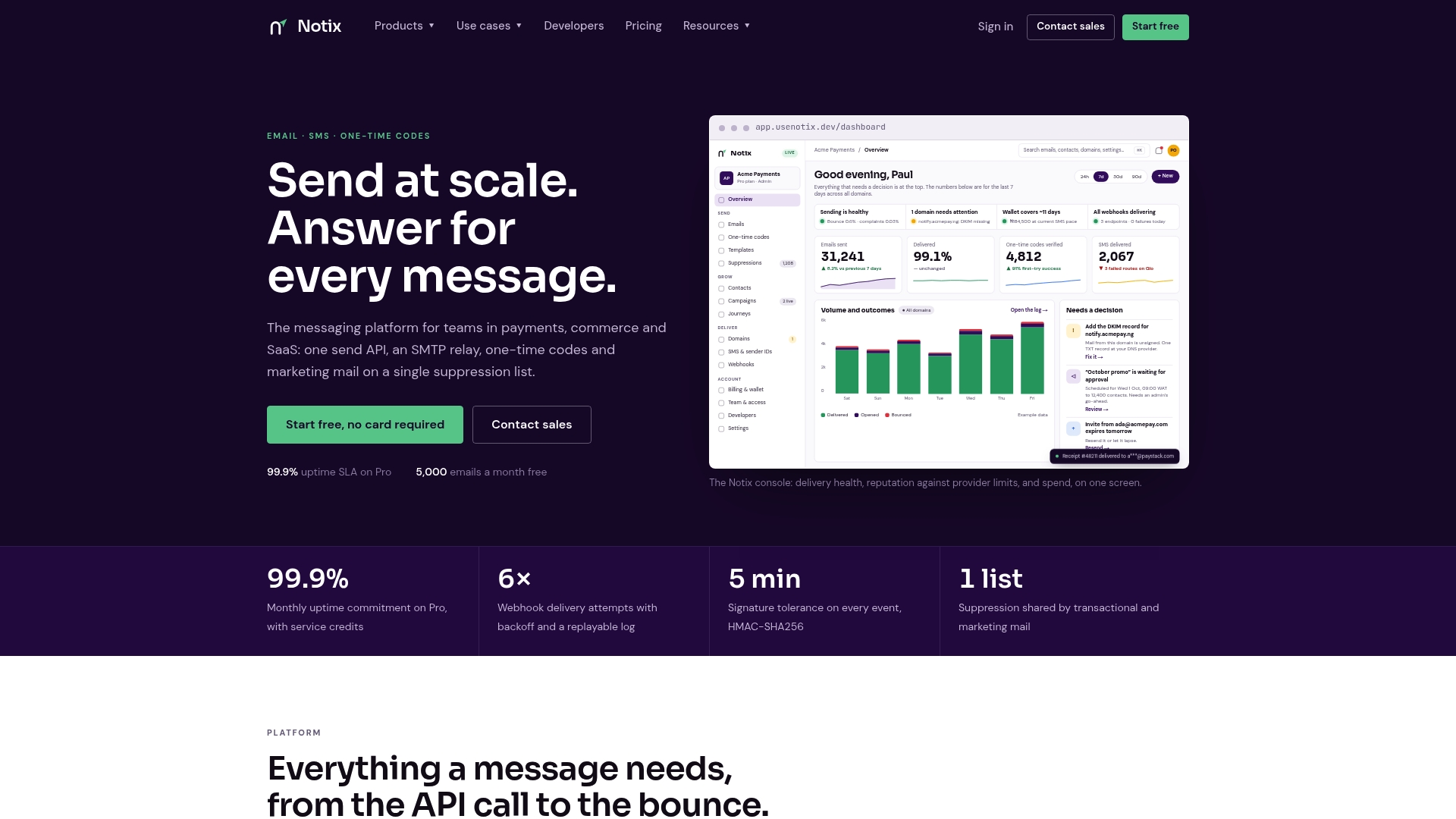
The Free plan costs $0 per month and is enough to test a full implementation end to end; the Pro plan runs $15 per month once you’re sending at production volume. Check the OTP email API documentation to see how the endpoints map to the token lifecycle covered in this guide, then set up your first sending domain and send a test code today.
Sources
The guidance in this article draws directly from NIST’s SP 800-63B digital identity guidelines, which govern authenticator requirements, and OWASP’s cheat sheet series, specifically the Email Validation and Verification Cheat Sheet and the Multifactor Authentication Cheat Sheet. MDN’s documentation on OTP implementations is worth bookmarking for a practical comparison of delivery methods.
- NIST SP 800-63B: Digital Identity Guidelines (Authenticators)
- OWASP Multifactor Authentication Cheat Sheet
FAQ
Why Am I Getting Fake OTP Messages I Didn’t Request?
Unexpected OTP messages usually mean someone typed your email address by mistake while signing into another service, or an attacker is testing stolen credentials against your account and needs a code to complete login. Login recommends never sharing a code you didn’t request and changing your email password if the messages continue, since repeated unwanted codes can signal an active credential-stuffing attempt.
How Do I Set Up Email OTP Verification for My App?
You generate a cryptographically random, single-use token with a short expiry (5 to 15 minutes), store a hashed version server-side, and send the plaintext code or link through a transactional email provider. A platform like Notix’s Email API handles the sending and delivery-tracking layer so your team focuses on the token generation and verification logic.
Where Can I Find My OTP Code If I Didn’t Receive It?
Check your spam or promotions folder first, since aggressive filters sometimes catch legitimate transactional email, then confirm the email address on file is correct and request a new code after the original expires. If codes consistently fail to arrive, the sending domain likely has a deliverability issue, such as missing SPF, DKIM, or DMARC records, or a poor sending reputation.
Is Email OTP as Secure as an Authenticator App or Security Key?
No. NIST’s SP 800-63B prohibits email as an out-of-band authenticator, and MDN’s documentation notes that TOTP is considered more secure than email or SMS OTP. Use email OTP for address verification and low-risk sign-ins, and reserve TOTP or WebAuthn for sensitive actions.
Does Usenotix Support One-Time Code Verification?
Yes, Notix provides a dedicated one-time codes capability alongside its Email API, covering generation, delivery, and webhook-based verification through a single integration. Current pricing for the Free and Pro plans is listed on the Notix pricing page.