
The recommended notification architecture is a layered, event-driven pipeline with per-priority durable queues, idempotent semantics, and channel-isolated workers. This design guarantees delivery for critical alerts and one-time codes without letting marketing traffic block them. It rests on five stages: ingestion, queuing, processing, delivery, and storage, connected by at-least-once messaging and dedupe checks at every hop.
TL;DR:
- Critical alerts require sub-second delivery and are isolated from marketing streams to prevent delays caused by high-volume promotional traffic.
- Using separate queues and topics for each priority tier ensures that a surge in marketing messages does not impact the timely delivery of transactional and critical notifications.
- Implementing idempotency checks with Redis and fixed rendering points guarantees message consistency and auditability before reaching queues.
- To handle high throughput, plan queue buffer sizes, scale worker pools horizontally, and shard data by user ID across multiple regions for low-latency delivery.
- Managed platforms like Notix can simplify implementation by providing built-in failover, suppression management, and rapid deployment for transactional notification needs.
Table of Contents
- How data flows through a notification pipeline
- Core components and layers that make it work
- Choosing a priority model and fan-out strategy
- Delivery workflows for push, email, SMS, and webhooks
- Building in retries, dedupe, and provider failover
- Planning capacity across regions and partitions
- What to monitor and how to run the system day to day
- Which base architecture fits your team
- Where a managed platform like Notix fits the picture
- What I’d tell any team starting this build
- Get transactional delivery running without building the pipeline yourself
- Sources
- FAQ
How data flows through a notification pipeline
A notification event starts at an intake API, typically a POST /notify call, and moves through five layers before it reaches a user’s device or inbox. According to a production-grade system design breakdown, those layers are event ingestion, message queuing, processing (filtering and rendering), delivery through channel workers, and storage or analytics. Decoupling these stages means a batch of marketing emails cannot stall a security alert sitting a few milliseconds behind it in the pipeline.
The intake API validates the payload, checks for a producer-supplied idempotency token, and responds with 202 Accepted immediately rather than waiting for delivery. Templates are rendered at this point, not later in the pipeline, so the message body is fixed and auditable before it ever touches a queue.
Two routing decisions happen early and shape everything downstream:
- Priority classification determines which topic or queue the event lands in (critical, transactional, or marketing).
- Partitioning by
user_idpreserves per-user ordering, so a password reset and a login alert for the same person arrive in the sequence they were generated, a pattern Sujeet Jaiswal’s notification system design recommends for exactly this reason.
Core components and layers that make it work
Each layer in the pipeline has a narrow job, and keeping that scope narrow is what makes the system debuggable at 3 a.m.
- Intake API: handles authentication, schema validation, and an idempotency check, usually a Redis
SETNXon the client’s idempotency key, plus a preference cache lookup so obviously suppressed sends never enter the queue. - Broker: Kafka suits teams that need replay, long retention, and strict ordering guarantees; a managed pattern of SNS for fan-out plus SQS for durable per-channel queues, with Lambda workers, gives automatic scaling and built-in dead-letter queues but trades away some replay and ordering control, a distinction laid out in this SNS, SQS, and Lambda orchestration guide. Partition or shard by
user_idin either case. - Router: deduplicates repeated events, enforces do-not-disturb windows and user preferences, aggregates similar notifications into digests, and picks the channel or channels for delivery.
- Channel workers: maintain connection pools to each provider, tune parallelism to the provider’s rate limits, apply timeout and backoff rules per call, and route failed messages to a dead-letter queue after the retry budget is exhausted.
- Notification store: a schema that records every send for audit purposes and powers the user-facing inbox, with TTL and retention rules that differ for compliance-sensitive transactional records versus short-lived marketing pushes.
Each of these is independently scalable. A spike in marketing sends only adds load to the marketing worker pool, not to the OTP path.
Choosing a priority model and fan-out strategy
Notification systems typically separate traffic into three tiers, each with its own service-level target: critical alerts (security, fraud, outages) that need delivery in seconds, transactional messages (OTPs, order confirmations, password resets) that need delivery in low single-digit seconds, and marketing or digest messages that can tolerate minutes of delay. Isolating these into separate topics, rather than a single shared queue, is what prevents a marketing backlog from delaying a login code, a pattern confirmed in Sujeet Jaiswal’s design guide.
The fan-out choice determines how that isolation plays out at scale:
- Fan-out-on-write pushes a copy of the notification to every subscriber’s queue at write time. It costs more storage and write throughput up front but keeps read paths simple and fast, which suits critical and transactional traffic.
- Fan-out-on-read computes the notification list at read time from a shared feed. It’s cheaper to write but adds read-time complexity and latency, making it a better fit for high-volume, low-urgency content like activity digests.
- Hybrid models apply fan-out-on-write to high-priority, low-fan-out events (a single user’s OTP) and fan-out-on-read to high-fan-out, low-priority events (a broadcast to millions of subscribers), while keeping each priority in its own topic so one never blocks the other.
Delivery workflows for push, email, SMS, and webhooks
Each channel has its own failure modes, and treating them uniformly is a common source of outages.
- Push: manage device token lifecycle carefully, since stale tokens cause silent failures. Deploying trigger services near regional FCM endpoints reduces delivery latency for global users, and silent pushes (for background sync) should be routed separately from visible, user-facing pushes.
- Email: DKIM, SPF, and DMARC records are non-negotiable for inbox placement, and new sending domains need a warm-up period. Handle bounces and unsubscribes at the suppression layer, and be aware that open-tracking pixels carry privacy trade-offs worth documenting for users.
- SMS: carriers enforce STOP-keyword opt-out handling by regulation in many countries, and providers impose per-account sending quotas. Cost and coverage vary sharply by country, so a single SMS provider rarely covers a global user base well.
- Webhooks and in-app: design callback handlers to be idempotent, since providers retry on timeout, and use connection pooling with sane timeouts so a slow downstream endpoint doesn’t back up the whole worker pool.
Respecting provider-specific quotas with token buckets and exponential backoff, as outlined in this notification architecture overview, keeps a burst of traffic from triggering provider-side throttling.
Building in retries, dedupe, and provider failover
At-least-once delivery is the practical default for notification pipelines: it’s easier to filter duplicates than to risk losing a message. That means idempotency has to be enforced in application code, not assumed from the broker. Kafka’s idempotent producer prevents duplicates within a single producer session, but a crash between a provider’s success response and the status write still needs a database-level check, which is why Kafka’s own idempotence documentation is paired with application-level keys in production systems.
- Check a Redis
SETNXon the notification’s idempotency key before dispatch, and only proceed on a successful set. - Apply a fixed retry budget with exponential backoff and jitter, then route exhausted messages to a dead-letter queue that supports replay.
- Cascade to a backup provider on repeated failures, and reconcile the final delivery state asynchronously through provider webhooks rather than assuming success at send time.
Pro Tip: Store the idempotency key with the same TTL as your retry window, no longer, or you’ll silently drop legitimate retries after a provider outage clears.
Planning capacity across regions and partitions
A useful benchmark: delivering 1 million notifications in 5 minutes, roughly 3,000 messages per second, requires durable queues sized as a buffer, not just a pipe, plus enough worker parallelism to drain that buffer without falling behind.
- Size queue buffers for burst absorption, then scale worker consumer groups horizontally to hit your target throughput.
- Partition by
user_idfor ordering guarantees, and consider separate partitions per channel so an SMS provider slowdown doesn’t starve email workers of processing capacity. - Shard the notification store once write volume outgrows a single database instance, typically along the same
user_idkey used upstream. - For multi-region deployments, place workers near the provider’s edge, a regional FCM endpoint or a local SMS gateway, to cut round-trip latency, and accept eventual consistency between regions rather than forcing synchronous replication.
- When draining a backlog after an outage, throttle the replay rate deliberately. Dumping the entire backlog at once recreates the same overload that caused the outage.
What to monitor and how to run the system day to day
A notification platform needs the same operational rigor as any payments-adjacent system, because a broken pipeline here means missed OTPs and silent churn.
- Track send rate, P99 delivery latency, delivery rate, dead-letter queue depth, and bounce or unsubscribe rates as core signals.
- Model the delivery lifecycle explicitly (accepted, sent, delivered, opened, failed) and reconcile it against asynchronous provider webhooks, a structure recommended in the System Design Handbook’s notification guide.
- Attach a correlation ID at ingestion and carry it through every hop so an on-call engineer can trace one notification across five services.
- Write runbooks in advance for the two incidents that happen most often: a provider outage and a queue backlog crossing its alert threshold.
Reconciling accepted-to-delivered events into a delivery_status table keyed by notification ID, as the System Design Handbook describes, is what turns raw provider webhooks into an audit trail you can actually query during an incident.
Which base architecture fits your team
Three base architectures cover most cases, and the right one depends less on scale and more on the operational muscle your team already has.
- Kafka-based: best when you need replay, strict ordering, and are already running Kafka elsewhere; higher operational overhead.
- Serverless SNS plus SQS: lowest operational burden, automatic scaling, built-in DLQs, but weaker replay and ordering guarantees.
- Hybrid: Kafka or a similar log for critical and transactional traffic, serverless fan-out for high-volume marketing traffic.
Common mistakes worth avoiding: sending notifications synchronously from a core request path, skipping dead-letter queues entirely, treating idempotency as optional, and relying on a single provider per channel with no failover.
Before building, confirm you have a priority model, a broker decision, an idempotency approach, a fixed template-rendering point, a partitioning key, and a monitoring plan. Missing any one of these tends to surface as an incident later rather than a design review comment now.
Where a managed platform like Notix fits the picture
Building every layer above from scratch takes real engineering time, and not every team needs to own it. Notix provides a single API for email and SMS, along with one-time code verification, that maps directly onto the channel-worker and delivery layers of the architecture described here.
- Suppression management and double opt-in handle the deliverability concerns that usually live in the router and channel-worker layers.
- A 99.9% uptime SLA covers the reliability guarantees teams otherwise build with failover and DLQ logic.
- The Email API and OTP-specific use case pages show how transactional sends map to priority routing.
A managed platform makes sense when time-to-market matters more than owning every operational detail, particularly for teams without dedicated deliverability expertise.
What I’d tell any team starting this build

Five rules hold up across most production notification systems: isolate priorities into separate topics from day one, render templates at ingestion so what you audit is what you sent, make idempotency mandatory rather than a follow-up ticket, track lifecycle events end to end, and enforce per-user rate caps in the pipeline itself, not just in a settings page.
The anti-patterns are just as consistent: synchronous sends buried in a checkout flow, no dead-letter queue, and betting an entire channel on one provider with no fallback. Teams that skip these usually find out the hard way, during an incident, not a design review.
— Paul
Get transactional delivery running without building the pipeline yourself
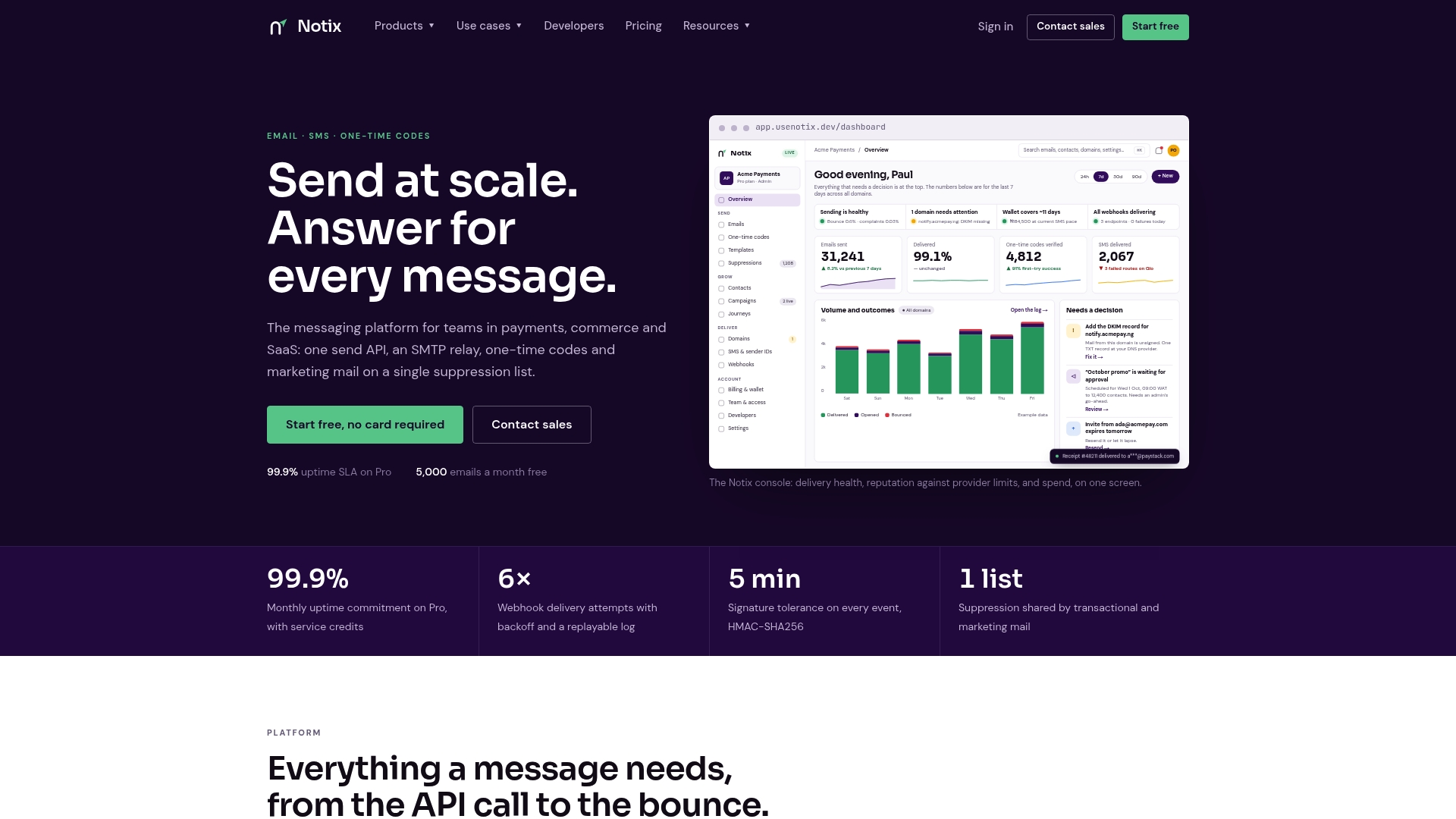
If the architecture above is more than your team wants to own right now, Notix covers the parts that cause the most incidents: unified email and SMS through one API, automated suppression shared across transactional and marketing sends, and one-time code delivery built for the urgent path.
- Teams without in-house deliverability expertise get double opt-in and suppression handled automatically.
- Small teams needing to ship fast can skip building queue infrastructure for OTPs and order confirmations.
- Growing teams get transparent, volume-based pricing instead of negotiating provider contracts individually; current prices are on the pricing page.
Check the Notix pricing page to see which plan fits your send volume before you commit engineering time to building this in-house.
Sources
- Abstractalgorithms
- Design a notification system — Sujeet Jaiswal
- How to design a notification system — System Design Handbook
FAQ
How do I design a notification system?
Start with a layered pipeline: an intake API, a durable broker with per-priority queues, a router that enforces preferences, channel-specific workers, and a storage layer for audit and analytics. Add idempotency checks and lifecycle tracking from the start rather than retrofitting them, since both are hard to add after launch without downtime.
What are the three types of notification messages?
Most systems classify messages as critical (security and fraud alerts), transactional (OTPs, receipts, password resets), and marketing (campaigns and digests). Each tier gets its own latency target and, ideally, its own queue so marketing volume never delays a transactional or critical message.
What are the two types of notifications?
At the broadest level, notifications split into transactional (triggered by a specific user action, like an order confirmation) and promotional (broadcast content like campaigns). Some architectures add a third critical tier for security alerts, but the transactional versus promotional split is the most common baseline distinction.
What’s the difference between fan-out-on-write and fan-out-on-read?
Fan-out-on-write pushes a copy of a notification to each recipient’s queue immediately, which costs more storage but keeps reads fast, suiting urgent messages. Fan-out-on-read computes the notification list when a user checks it, which is cheaper to write but adds read-time complexity, and fits high-volume, low-urgency content better.
Does Notix handle one-time code delivery for login flows?
Yes, Notix offers one-time code verification alongside its email and SMS API, aimed at the transactional and critical-priority use cases described in this architecture. Pricing details are on the Notix pricing page.